
Research you can rerun, on your own computer.
Bench is a workbench for research you do in code. A project is a folder of Python under git; its steps run as experiments that keep the code snapshot, the parameters, the numbers and the charts, so any two can be compared and any one rerun. Notebooks sit beside the code, shared code lives in libraries pinned by version, and an AI agent works in the project with you.
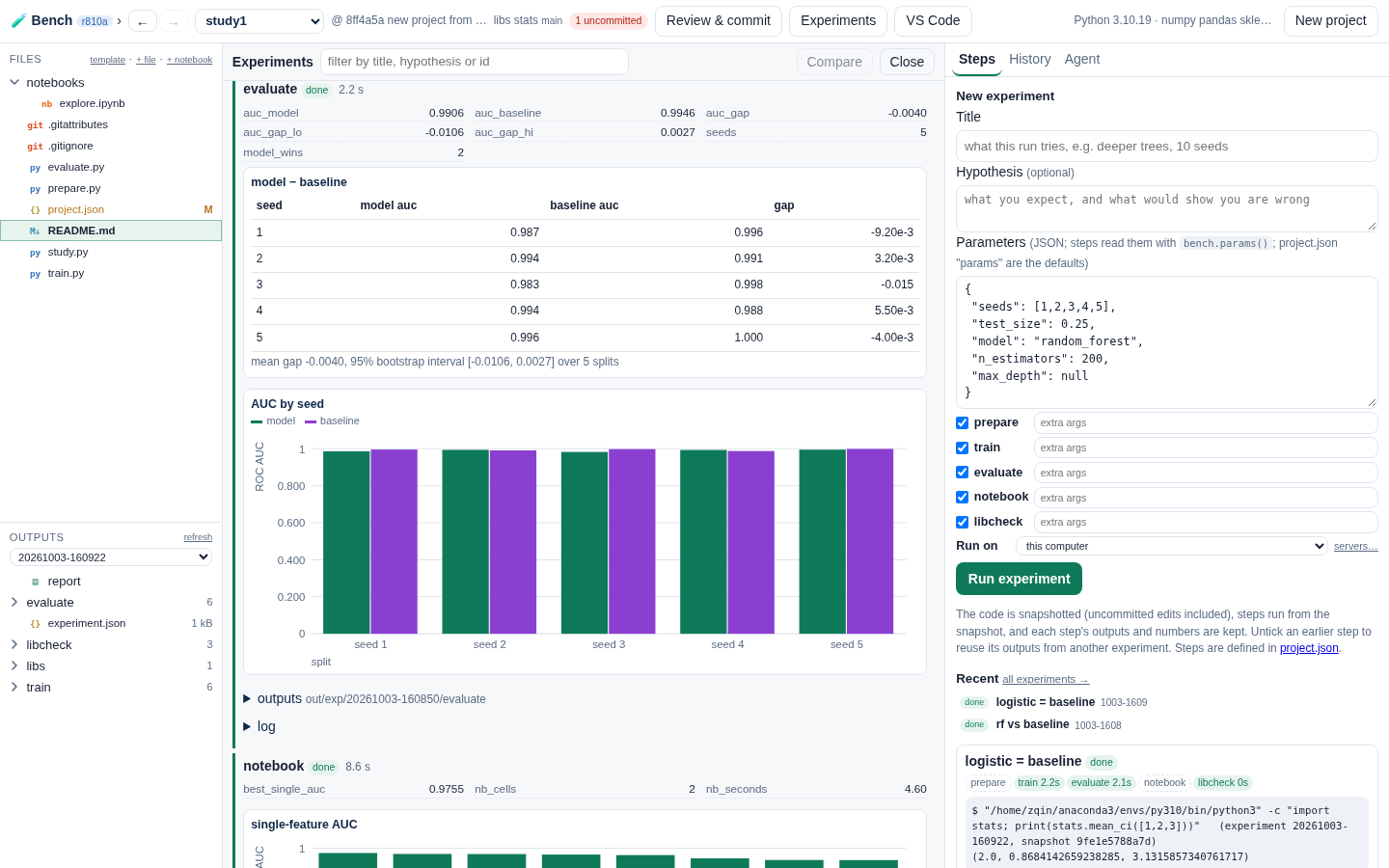
The research loop
Your code stays plain Python you can run anywhere. Bench runs it as experiments and keeps everything.
A notebook in JupyterLab or VS Code, on the project's own code and data.
Code that works moves into a script; project.json lists the steps: prepare, train, evaluate, or your own.
A title, a hypothesis, the parameters. The code is snapshotted; outputs, metrics and charts are kept per step.
Two experiments side by side: code diff, metrics, overlaid charts. A verdict on each; rerun any one from any step.
What it gives you
Experiments, recorded
Every run keeps its code snapshot (uncommitted edits included), its parameters, the libraries' commits, each step's log, outputs, numbers and charts. Rerun from any step; earlier steps' outputs are reused.
Parameters per run
Defaults in project.json, changed in the run form or by the agent; steps read them with bench.params(), and every experiment shows the values it ran with.
Notebooks beside the code
JupyterLab or VS Code, with the project's code importable. Run a notebook as a step and its numbers and executed copy become part of the experiment. Git stores notebooks without outputs.
Your own libraries
Code several projects need lives in a library with tests. Projects pin a version, a release or the working tree; every experiment records the commit it ran with.
An agent in the project
Your own Claude Code with the project's tools only: it reads code and results, edits files you then review, runs only when asked and commits only when the change is settled.
Laptop, server, cluster
Keep the workspace on a server and open it from your laptop over ssh, nothing to set up. Run experiments there, on Slurm, or on Kubernetes.
Plain Python, a small library
A step is any command. The bench module tells it where to write and lets it report what the experiment table compares.
# evaluate.py — a step in project.json: {"name": "evaluate", "run": "{python} evaluate.py"}
import bench, pandas as pd

p = bench.params(threshold=0.5)                       # project.json "params", overridden per experiment
pred = pd.read_csv(bench.inp("train", "predictions.csv"))   # an earlier step's output
acc = ((pred.prob >= p["threshold"]) == pred.label).mean()
bench.record(accuracy=round(acc, 4))                 # a column in the experiment table
by_seed = [[str(s), ((g.prob >= p["threshold"]) == g.label).mean()] for s, g in pred.groupby("seed")]
bench.chart("accuracy by seed", "bar", {"model": by_seed}, x="seed", y="accuracy")
pred.to_csv(bench.out("scored.csv"))                 # this step's output folder
Get Bench
# Linux (any distribution) with Python 3.9+ and git. No root needed.
curl -LO https://priorstates.com/download/bench/psbench-0.1-50-linux.tar.gz
tar -xzf psbench-0.1-50-linux.tar.gz && cd psbench-0.1-50-linux
./install.sh      # into ~/.local/share/psbench; adds "PriorStates Bench" to your menu
psbench           # opens in its own window; your work goes in ~/Bench

# macOS, Windows, or anywhere else: the same download, in Docker
./psbench-docker         # builds the image once, starts Bench, opens http://127.0.0.1:8940
./psbench-docker login   # once: sign Claude Code in inside the container, for the agent
- Needs: Python 3.9 or newer, git, and Claude Code for the AI agent (everything else works without it). Bench offers to install the packages a project's steps need into the Python you pick.
- Docker: Docker Desktop on macOS or Windows (Git Bash or WSL), or Docker on Linux. The image has Python with numpy, pandas, scikit-learn and JupyterLab, git and Claude Code. Your work stays in
~/Benchon your computer. - First run: create a project from the mlstudy template and press Run experiment: prepare → train → evaluate → notebook, offline, in under a minute. Then run it again with other parameters and compare.
- Docs: quick start · projects, experiments and parameters · libraries, notebooks and the agent.
Pre-release.