
AI writes the code.
You do the thinking.
PriorStates Studio is where the two work together. Design it, discuss it, build it, run it and keep improving it, in one place on your computer.
Make it by asking. Run it here. Keep improving it.
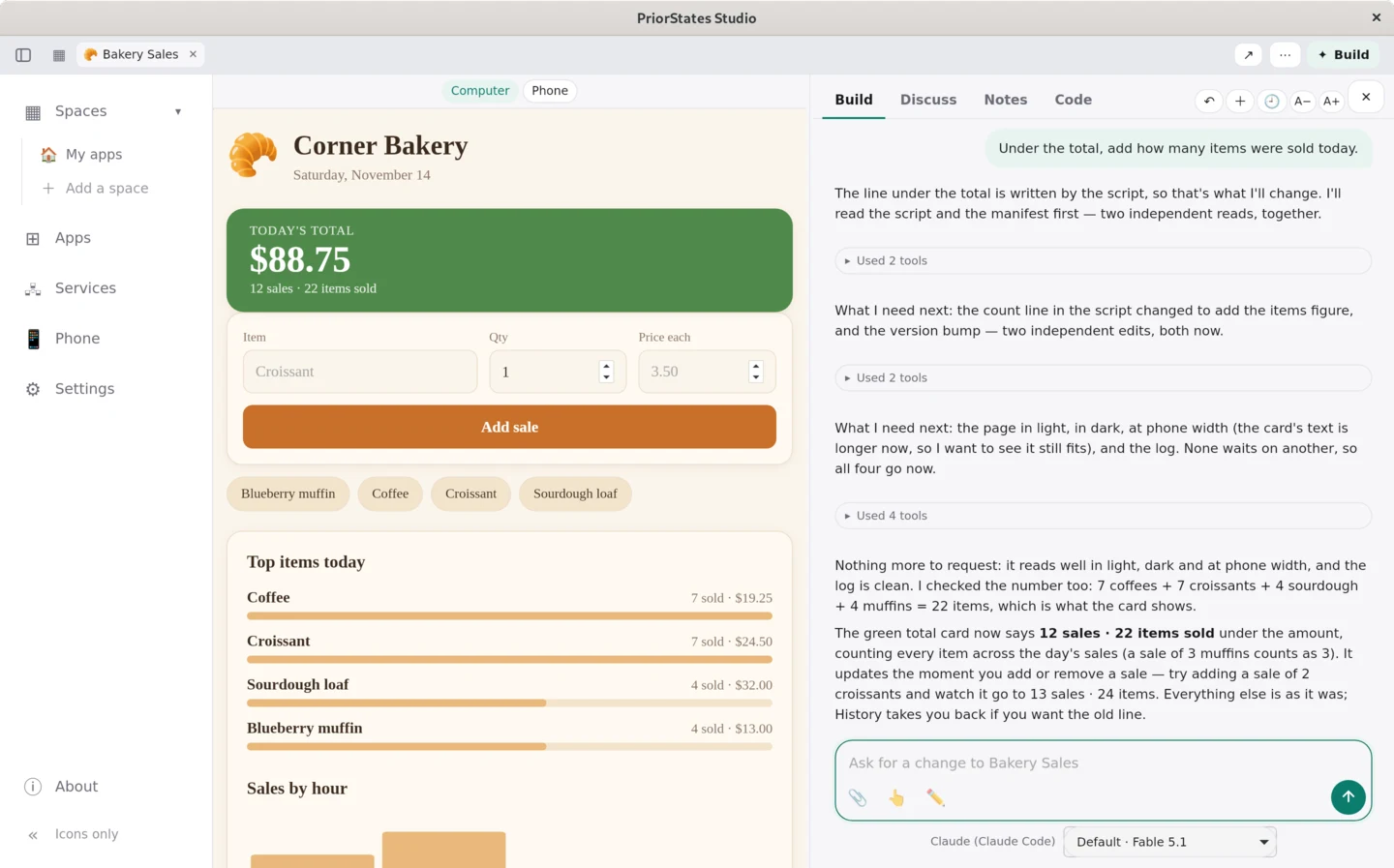
From an idea to apps that run
A bakery's back office, start to finish on one computer: the AI talks the project through with you and lays out a space, Claude Code builds each app from its card, the apps run on the shop's own files, and a change is one sentence away.
About 2 minutes, with narration and captions in English. The AI's work is sped up, and the bakery is made up.
Make and change apps by asking
Say what you need
Describe an app in a sentence and it is built on this computer, where it can use your files, your folders and Python. Change it the same way. Every change is saved first: Undo puts it back, and History keeps every version.
Talk it through first
Discuss an app before you change it: the AI sees the app as it is now, its saved data and its log. Notes keep what it should always know, and anything that looks like a password is hidden from it.
Show it, don't type it
Attach a picture or a file, paste a screenshot, or dictate. With 📱 Take with my phone, your paired phone takes the picture and it lands right where Studio asked for it.
Keep your work in one place
Spaces for your projects
Describe a project and the AI lays out a space for it: groups, a placeholder card for each app it needs, and notes. Open a card to build that app, and keep shaping the space as the project grows.
Documents
Everything your discussions, apps and runs wrote, in one list in the sidebar, shown the way Reader shows it: notes, pictures, Word, Excel and PDF.
Ready-made apps
Reader, Resume Writer and the Gallery's apps that run on computers. Make your own copy of any of them and change it by asking.
Beyond this computer
Your phone
Pair it with one scan. Your phone builds bigger apps with this computer's AI, at home or away; Send to my phone puts an app you made here on it; and a phone app can use a backend on a server of yours.
Your servers
Studio keeps one list of where your apps' code runs on other machines: check it, read its log, deploy, start and stop it over your own SSH. Nothing runs there until you press it, and Studio asks first before anything that can't be undone.
Studio for Chrome
Your apps in Chrome's side panel, beside the page you are on. Add fills an app from what the page shows; you check it and save. Studio for Chrome →
The Assistant
Ask once in your own words, in Studio or from your AI chat app. It shows one plan across your apps, and nothing changes until you press Do it. The Assistant →
Work as a team
A space in a git repository
Keep a space and its apps in a folder your team shares, usually a git repository. Everyone opens the same apps and notes, each with their own AI and their own chats. Studio commits, pulls and pushes with your own sign-in.
Company tools
One library for the tools your people make: approval, versions, who gets what, and nothing left behind when someone leaves. Preview, by invitation. Studio for Company tools →
Yours, and private
- Your apps and their data stay on this computer. No account, no ads, no tracking.
- Your own AI. Studio works with Claude Code, Codex, Gemini CLI, Qwen Code or Google Antigravity, with the sign-in already on this computer. With none of them, builds use the free starter AI, limited per day.
- Your phone, end to end encrypted. Your phone reaches this computer through a relay that cannot read what passes through it.
- You allow what runs. Commands on this computer or on a server run only after you allow them here.
Download
macOS
Universal (Apple Silicon and Intel), signed and notarized by Apple — it opens with no warning. macOS 11 or later.
0.5.57 · 20.2 MB · drag PriorStates Studio into Applications
Windows
Windows 10 or later, 64-bit. From the Microsoft Store it is signed, it updates itself, and it opens with no warning. The direct installer is still here if you would rather not use the Store — Windows warns once on that one (More info → Run anyway).
the .exe is 0.5.57 · the Microsoft Store still has 0.5.40
Linux
Debian, Ubuntu, Fedora, RHEL, Rocky Linux and AlmaLinux, 64-bit. The one command below picks the right build for you, or take a package here.
0.5.57 · .deb for Debian and Ubuntu · .tar.gz for Fedora · the third for RHEL, Rocky Linux and AlmaLinux
🐧 Install on Linux with one command
curl -fsSL https://priorstates.com/studio/install.sh | shIt picks the right build for your system, checks the download and installs it. Installing on Linux
🪄 Or ask your AI to install it
Install PriorStates Studio on this machine by following https://priorstates.com/studio/install.txtGive this line to the AI tool you use on that machine. It follows steps written for it and asks you when it needs your password.
Using your apps needs no AI. To make or change apps on this computer, connect an AI subscription with its coding tool (Claude Code or Codex); Studio can install the tool and sign you in. Python and git are optional: Studio sets up its own Python, and keeps app history in git when it is there. Close the window and it keeps running in the tray, so your phone stays connected. It keeps the computer awake while it runs.