
Studio for Teams
For shops where several people take and prepare orders.
A shared order desk for the owner, the cashier and the kitchen, plus shared devices, called stations, at the counter or in the kitchen. Each person sees only what their role needs.
How it works
Four steps, in the browser. Nothing to install on the staff's phones or the kitchen screen.
- 1
The owner creates a workspace
Sign in at teams.priorstates.com with your email and a six-digit code we send you, then name your business. During the preview, only invited owners can create one.
- 2
Staff join in person
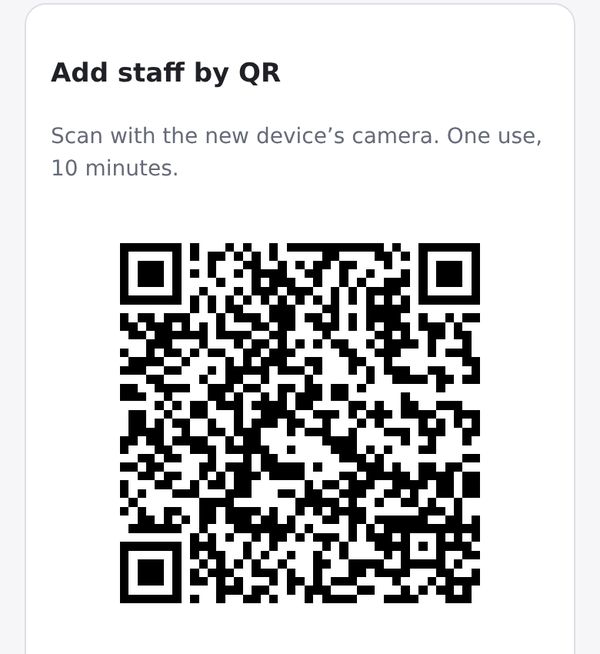
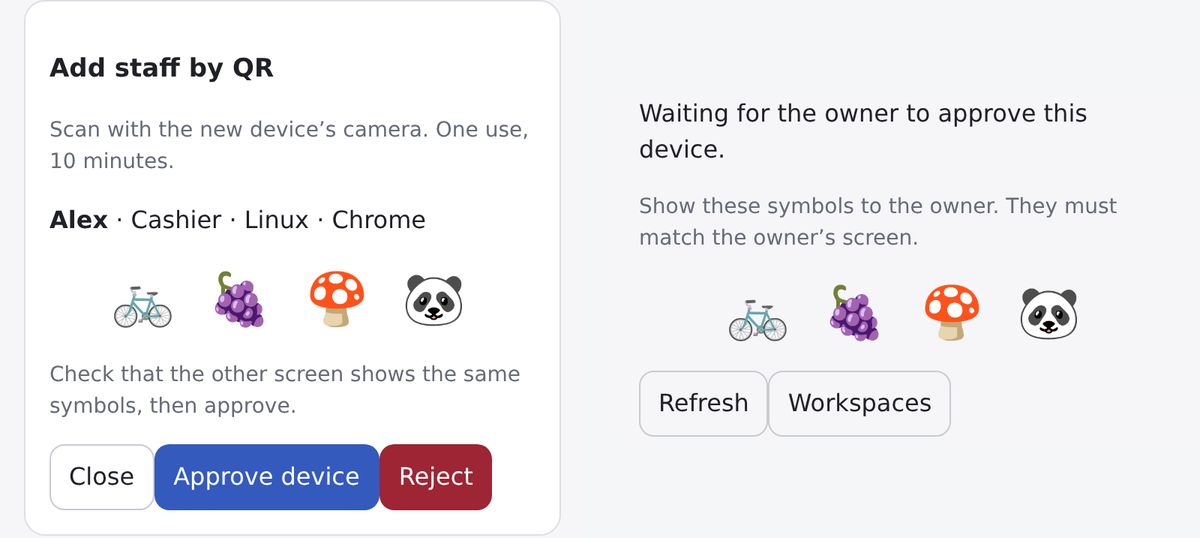
Show a QR code on your phone. Your staff member scans it and types a name, and both screens show the same four symbols. Check that they match, then approve. No email needed. The code works once, for ten minutes. You can also invite someone by email.
- 3
The cashier enters, the kitchen sees
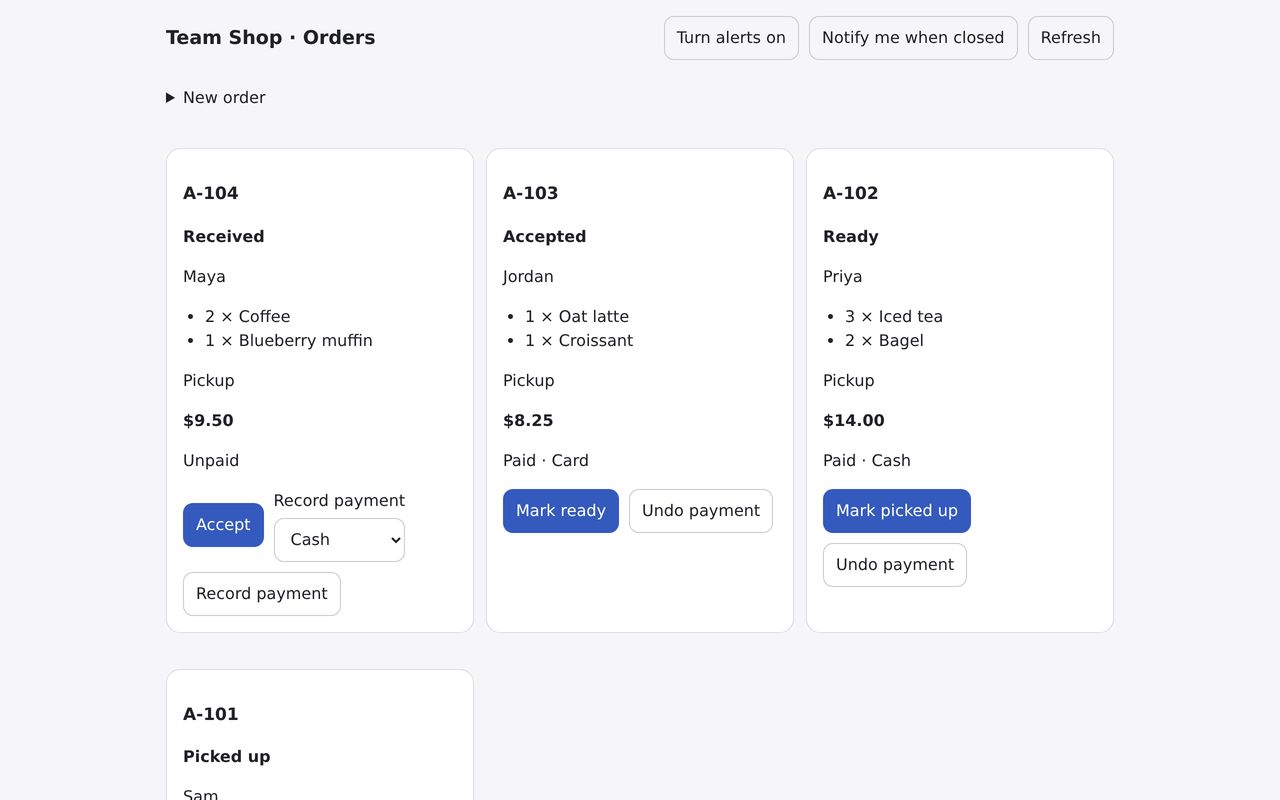
An order entered at the counter shows up on the kitchen screen within about a second, with a sound and a vibration once alerts are on. It works even when the owner's phone is off.
- 4
Everyone follows the order
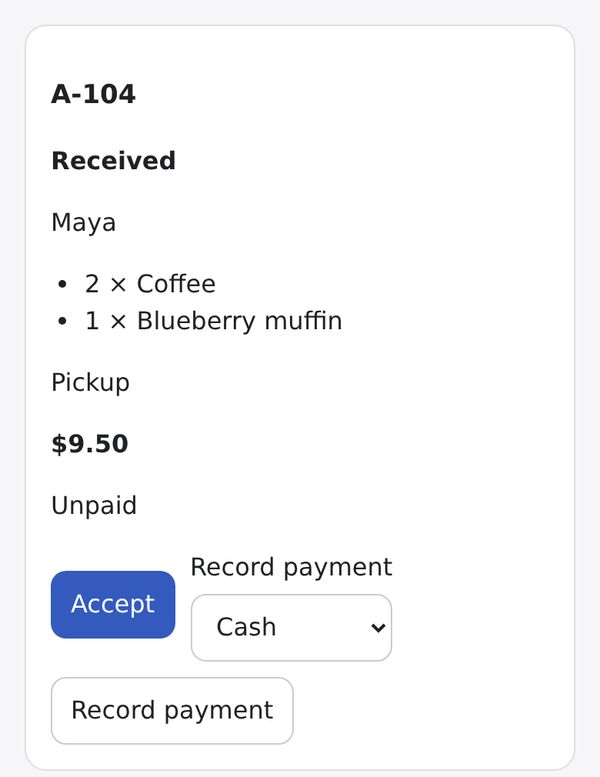
Received, accepted, ready, picked up. The cashier records the payment as cash, card or other. Each person sees what their role allows. If two people change the same order at once, the second is asked to refresh instead of overwriting.
See it
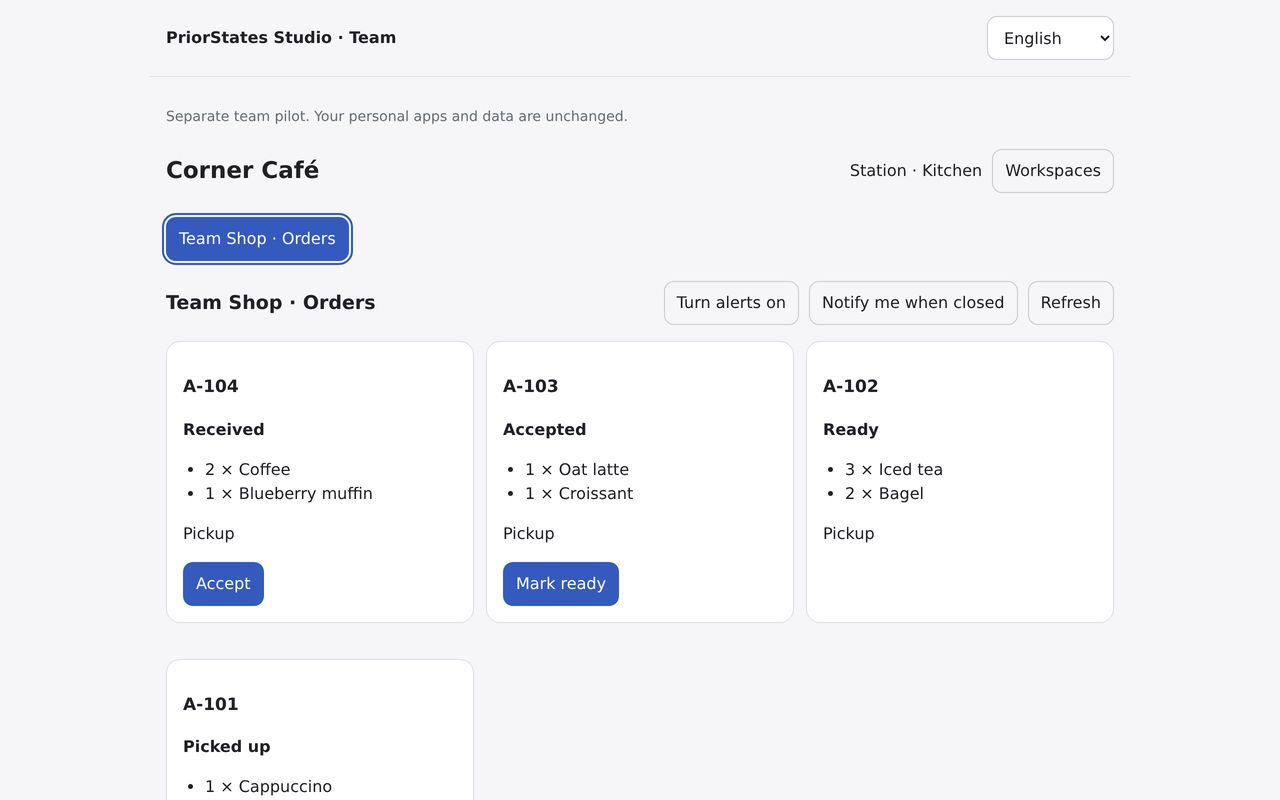
Demo data from Corner Café. The screens are shown in English; the app also speaks 简体中文, 繁體中文, Español and Português.
Who sees what
Four roles, fixed for the preview. The service checks every request against them, so a changed page or a guessed link doesn't widen anyone's access.
| Role | Sees | Can do |
|---|---|---|
| Owner | Every order, with customer details, totals and payment. The team list and its activity. | Everything a cashier can do. Add, approve and remove staff, stations and devices. Delete the workspace. |
| Co-owner | The same as the owner. Joins by email invitation only. | Everything a cashier can do. Add, approve and remove staff and stations, and see the activity. Can't delete the workspace, invite co-owners or remove the owner's devices. |
| Cashier | Everything on the order: customer name, phone, address, items, prices, notes and payment. | Add orders. Accept, mark ready, mark picked up. Record or undo a payment. |
| Kitchen | The order number, the items and quantities, and pickup or delivery. Never customer names, phone numbers, addresses, prices, notes or payment. | Accept and mark ready. |
A station has cashier or kitchen rights and no personal email. Staff and station access ends after 30 days without use.
Privacy and security, in plain words
What is encrypted, what our service can see, and what you control.
Order details (customer name and contact, items, amounts, address and notes) are encrypted on the device that saves them, separately for each approved device. No two devices share a key.
It stores those details only as ciphertext, so it can't read names, items or amounts. To run the desk it does see email addresses, staff and station names, roles, an internal order ID, the order's progress, and the payment status and method. Those are not end-to-end encrypted.
Removing a person, a device or a station stops their access at once. Each device is removed on its own, so a lost phone doesn't affect your other devices. What someone has already seen can't be taken back.
Owners, co-owners and staff invited by email sign in with a code sent to their email. A code lasts ten minutes and allows five tries.
Turn on a key backup and your browser seals it with a passphrase you choose (at least 12 characters) before anything is uploaded. We never receive the passphrase and can't open the backup, so we can't reset it for you either.
The Team database is backed up every hour, encrypted. Backups are kept for 7 days on the server, and an encrypted, private copy for 30 days in Amazon S3 (US East). We don't add usage analytics or send team records to AI services.
Your personal Studio stays separate
Studio for Teams is a separate place with its own sign-in and its own storage. Your personal apps, Spaces, data and Google Drive backups are not moved, copied or shared, and nothing changes in the Studio app you already use.
What the preview includes, and what it doesn't yet
Free during the pilot. These limits apply to every business.
✓ Included
- A staff order desk for one Shop: orders, progress and payment, for owner, co-owner, cashier and kitchen
- Joining in person by QR code, or by email invitation
- Stations: a shared device such as “Counter” or “Kitchen screen”, with no personal email. It reopens by itself after a restart
- Several devices per person, each removable on its own
- Sound and vibration alerts; a lock-screen “New order” notice in browsers that support web notifications
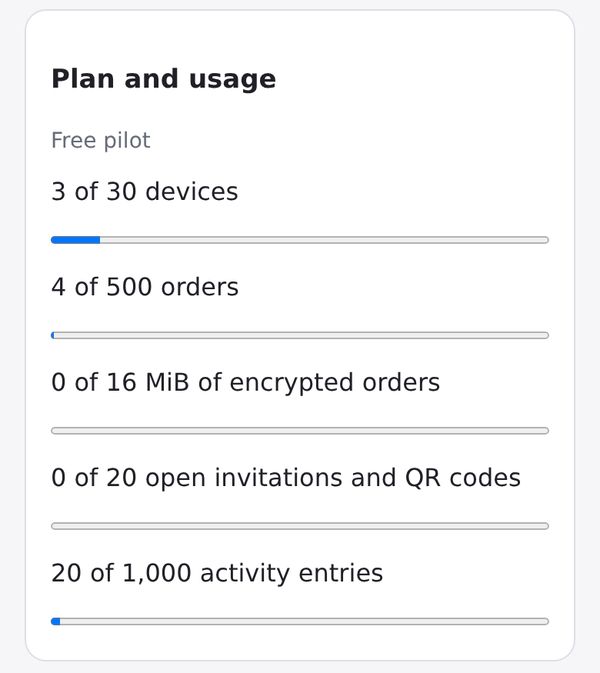
- Key backup, and usage against the limits in Settings
… Not yet
- Not connected to your public Shop link or customer ordering: staff enter the orders
- Shop only, no other apps
- No production availability guarantee: start with test orders, and don't make it your only record
- No public sign-up, and no paid plan
Pilot limits
- 30 devices per business: people's devices, stations and key backups together
- 500 orders kept per business
- 16 MiB of encrypted orders per business
- 20 open invitations and QR codes at a time
- 1,000 recent activity entries, kept up to 90 days
- 3 businesses per invited owner
Questions
Do my staff need an account or an email address?
No. Staff who join in person give a name only, and a station needs nothing personal at all. Email is needed only for owners, co-owners, and staff you choose to invite by email; they confirm their address with a code.
What if I lose my phone?
Keep a second way in. Add another device of your own with a QR code, or turn on the key backup; then a new device can sign in with your email and your passphrase. Remove the lost phone from the team list and your other devices keep working. Your email alone can't unlock the encrypted orders, and neither can we.
What happens to our data if we stop?
The owner can delete the workspace: its orders, members, invitations and activity are removed. Copies in the encrypted backups expire within 30 days. To delete your sign-in account as well, write to service@priorstates.com.
Which devices does it work on?
It runs in the web browser on phones, tablets and computers, so there is nothing to install. We test it with Chrome and Safari. Sound alerts work while the page is open; lock-screen notifications need a browser that supports web notifications.
What does it cost?
It is free during the preview, within the limits above. There is no paid plan.
Does it change my personal Studio?
No. Your personal apps, data and backups are not moved, copied or shared, and your personal Shop keeps taking orders from its customer link as before. Deleting personal Studio doesn't delete a Team business.
Try it in your shop
The preview is by invitation, and there is no public sign-up. Write to us with your business name and how many people take and prepare orders.
Or write to service@priorstates.com