
Business Cards
Make business cards and a letterhead from your business profile and print them at home or at a print shop
- 🏷️ Sell & side business
- Just for you
- Version 1
- Free · no account
What it does
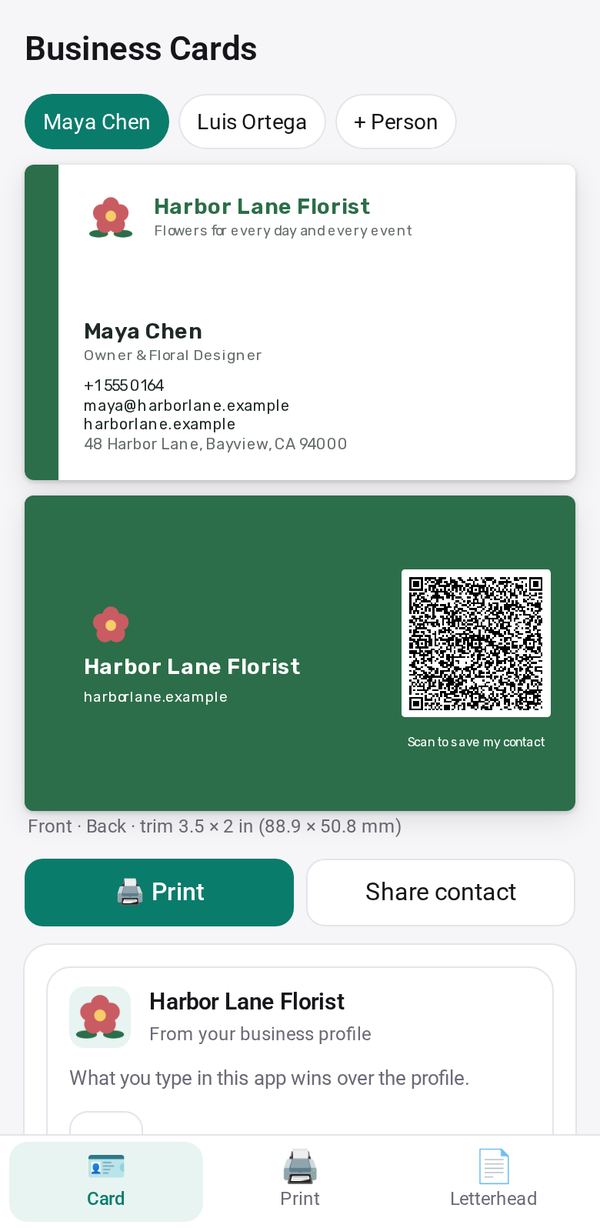
- Cards and a letterhead from your Business Profile: ten designs, front and back
- A QR code that saves your contact, and a card for each person on your team
- Print at home on 10-up card sheets, or get a print-ready PDF for any print shop
How to start
- Open Studio on your phone, on the web or on your computer, and tap Gallery (or the Find an App tile).
- Find Business Cards under Sell & side business, and tap Add.
Try it with example data (in your browser, nothing is kept) · Open it in Studio on the web
Using it needs no AI. New to Studio? Get started.
Main tasks
Design your card
In the Card tab, pick one of ten designs, change the colors and fonts if you like, and choose what goes on the back: a QR code, your logo, a plain color or nothing.
Make cards for your team
Add each person with their name, title, phone and email, and each gets their own card.
Print at home
In the Print tab, pick your card sheet and print a test page first to check that it lines up, then print the sheets.
Get a file for a print shop
In the Print tab, make the print-shop file, with one card per page and optional crop marks.
Write on your letterhead
In the Letterhead tab, write a letter and print it, print a blank letterhead, or use Save for Word.
Make it yours
Ask Studio: “Use my brand colors and put my Instagram on the back”
Hold the app and tap Edit with AI, then say what to change in plain words. Every version is kept in History. How to ask well.