
Docs › Studio › For your business
Get paid
Customers pay you directly with the methods you already use, tap I've paid, and you confirm.
How payment works
Studio never handles money and never takes card numbers. Your customers pay you directly, with the methods you already use: a payment link, PayPal, Venmo, Cash App, Zelle, bank details, or cash. Studio shows them how, and keeps track of who has paid.
Set it up once
Add your pay methods to your Business Profile. Shop, Order Form, Bookings, Quotes & Invoices, Group Order and Payments then show them to customers.
The pay step
- On their order, booking or invoice page, the customer sees the total and your pay methods: a link or QR code to tap, or details to copy.
- After paying, they tap I've paid and pick the method.
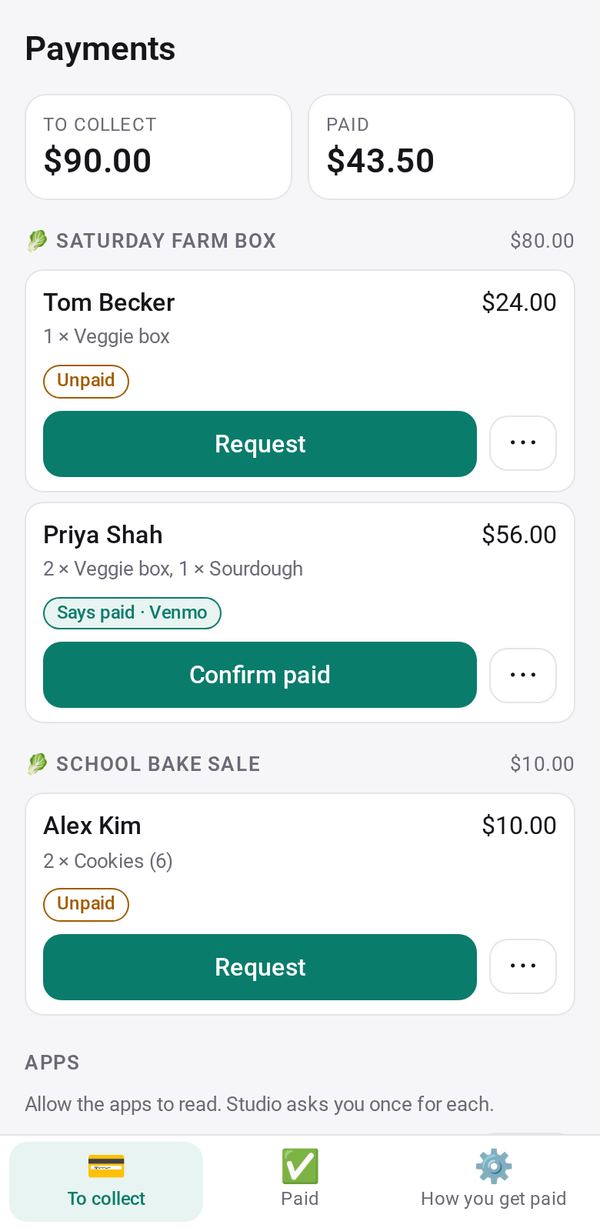
- You see "Says paid · Venmo" on the order. Check your account, then tap Confirm paid (or Not paid). Their page shows Paid ✓.
- Paid in cash or some other way? Tap Mark paid and pick the method.
See who still owes you
The Payments app gathers it in one place. Tap Allow for Shop, Order Form, Bookings and your other apps, and To collect lists everyone who owes you, with totals.
- Request on a person shares a message with their amount and your pay links filled in.
- For someone in front of you, show the QR code from ⋯.
- Unpaid people wait under To remind. See reminders to customers.
Invoices have their own follow-up: unpaid ones wait under To remind in Quotes & Invoices.