
Docs › Studio › For your business
Menus and notices on a TV
Show your menu, notices or waitlist on the store's TV, kept up to date from your phone.
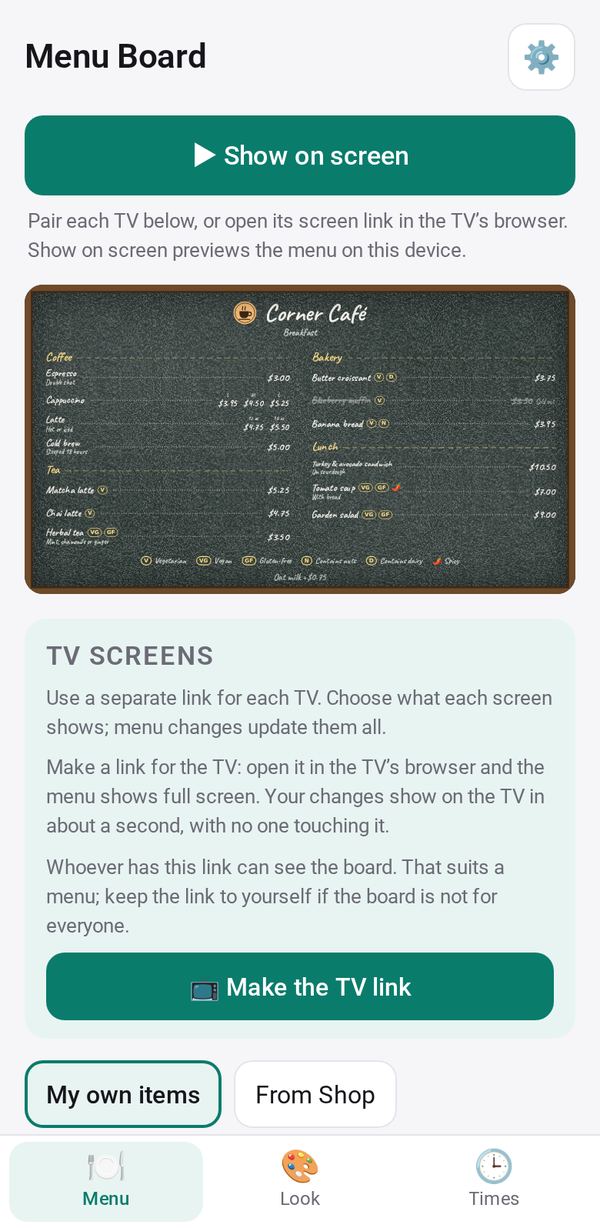
Which app
- Menu Board: your menu with photos, prices, sizes and dietary marks, by time of day. It can show your Shop menu.
- Notice Board: notices, events, photos and countdowns, each shown on the dates you choose, and an urgent notice on every screen at once.
- Also: Waitlist's Now calling screen and Shift Board's Show on screen.
Put it on a TV
- In the app, tap 📺 Make the TV link.
- Get it to the TV: Send or Copy the link and open it in the TV's browser, or tap 📷 Pair a TV.
- On a Google TV or Android TV, Studio Screen (version 1.0.2) shows the screen full size, keeps the TV awake, and can open it again by itself after a power cut.
Changes you make on your phone reach the TV within about a minute. The app shows when each TV was last seen, so you know a screen hasn't stopped.
Several screens and playlists
- + Add screen for each TV, each with its own categories or notices.
- + Make a playlist takes turns on one TV between Menu Board and Notice Board screens, each for its own number of seconds.
- 🚨 Urgent notice on every TV (Notice Board) fills every screen until it ends or you tap End now.
The look
In the Look tab, choose a style, a background and your logo, or tap 🎨 Design from a picture and pick one of three variations.