
Menu Board
Show different menu categories on multiple TVs, with shared prices, photos, sold-out updates and time-of-day menus
- 🏷️ Sell & side business
- Just for you
- Version 14
- Free · no account
What it does
- Your menu on any TV from a link, with what is sold out
- Sizes with their prices (S, M, L), and dietary and allergen marks with a key
- A playlist takes turns between your menu and your notices on one TV
How to start
- Open Studio on your phone, on the web or on your computer, and tap Gallery (or the Find an App tile).
- Find Menu Board under Sell & side business, and tap Add.
Try it with example data (in your browser, nothing is kept) · Open it in Studio on the web
Using it needs no AI. New to Studio? Get started.
Main tasks
Add your menu
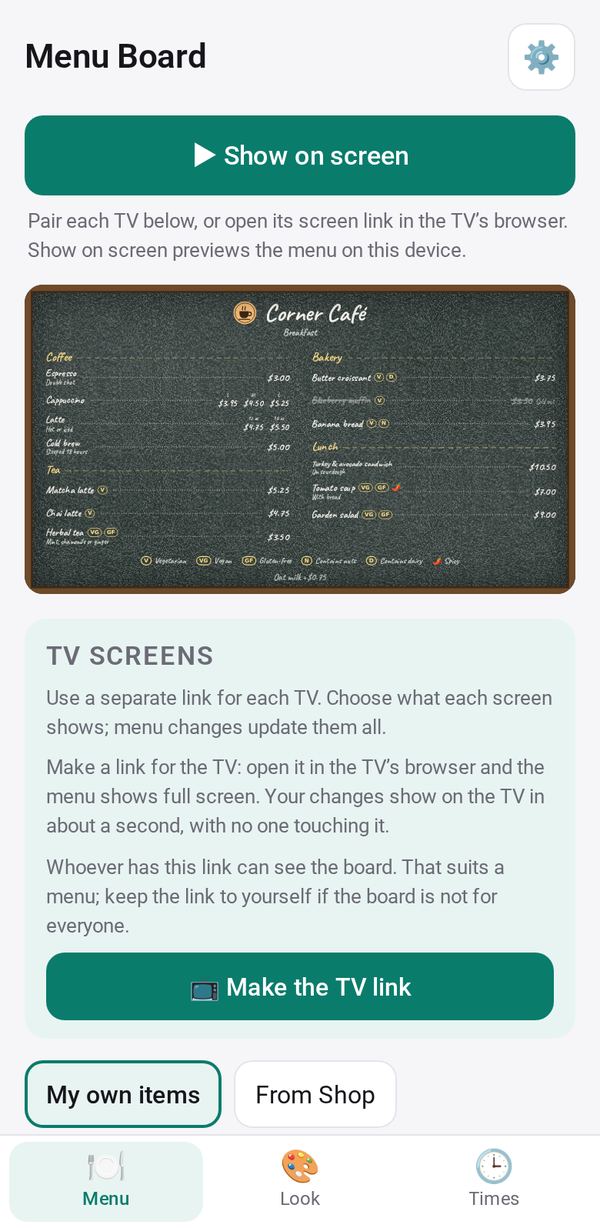
In the Menu tab, use My own items to add items with a photo, price, sizes and dietary marks, or choose From Shop to show your Shop menu. Mark an item sold out when it runs out.
Pick a look
In the Look tab, choose a style, a background or your own photo, and your logo. Or tap "🎨 Design from a picture" and pick one of three variations.
Put it on a TV
Tap "📺 Make the TV link", then Send or Copy it to the TV's browser, or use "📷 Pair a TV". Changes reach the TV within seconds.
Set times of day
In the Times tab, set breakfast, lunch and dinner hours, and choose which categories show at each time.
Use several TVs or a playlist
Add more TV screens, each with its own categories. Tap "+ Make a playlist" to take turns between your menu and Notice Board screens on one TV.
Make it yours
Ask Studio: “Add a “Chef's pick” badge to three dishes”
Hold the app and tap Edit with AI, then say what to change in plain words. Every version is kept in History. How to ask well.
In these ready-made spaces
- ☕ Café (Your business)
- 🧺 Farm & market (Your business)