
Docs › Studio › For your business
Set up your Business Profile
Your name, logo, hours and how customers pay you, entered once and used by every business app.
Why first
Your Business Profile holds what every business app needs to know about you: your name, logo, contact details, hours, and how customers pay you. Fill it in once, and Shop, Order Form, Bookings, Quotes & Invoices, Payments, Group Order, Menu Board and Business Page can all use it.
Fill it in
- Add Business Profile from the Gallery (it is in every ready-made business space).
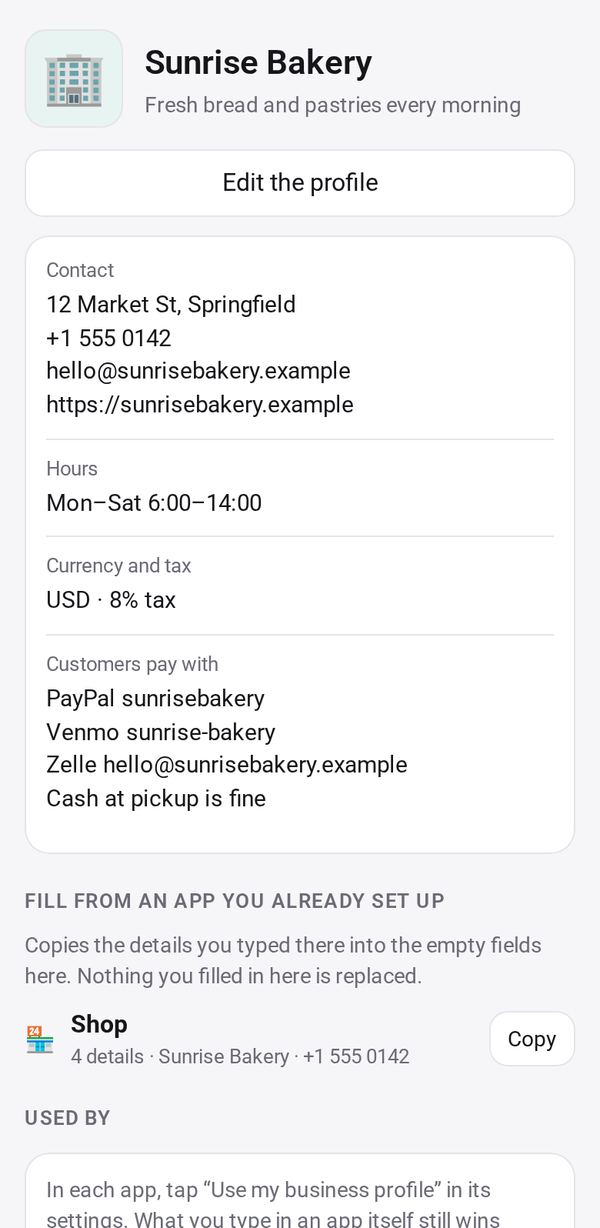
- Tap Edit and enter your business name, logo, a short description, address, phone, email, website and hours. You can fill it from a photo of your business card.
- Add how customers pay you: PayPal, Venmo, Cash App, Zelle, a payment link, bank details, or a note such as "cash at pickup".
- Already set up Shop or Quotes & Invoices? Fill from an app you already set up copies those details into the empty fields.
Use it in your apps
In each business app, tap Use my business profile, then Allow. The app fills its empty fields from your profile; anything you typed into the app itself still wins. When you change the profile, the apps and the pages your customers see follow.
Don't want it in one app? Tap Don't use it here in that app.