
Business Profile
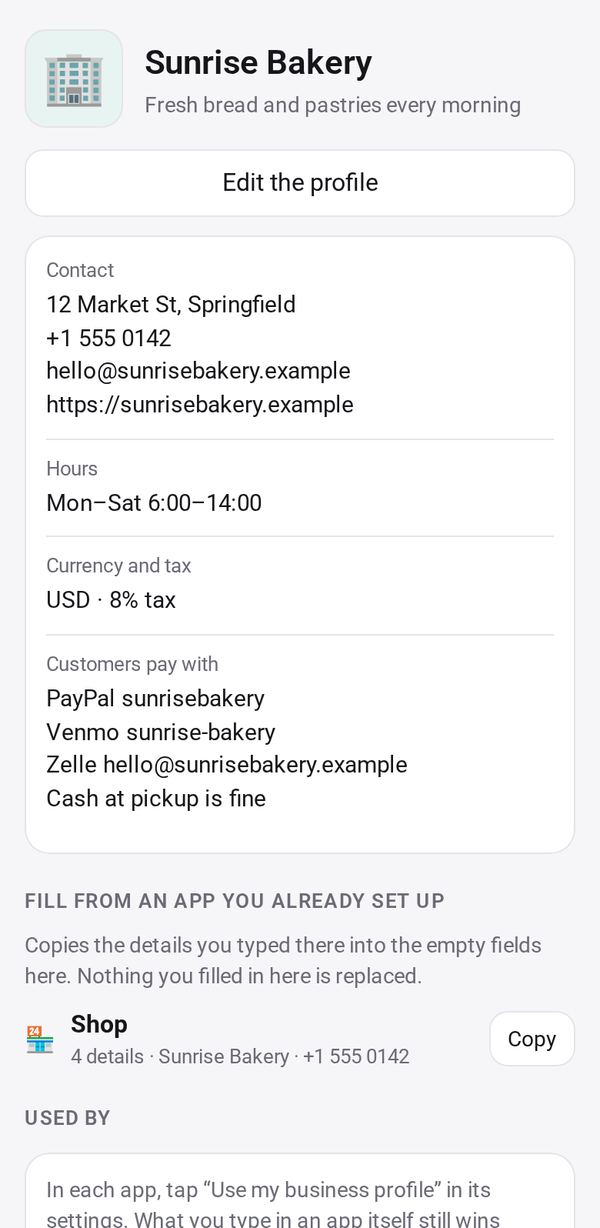
Your business name, logo, contact details, hours and pay methods, set once and used by all your business apps
- 🏷️ Sell & side business
- Just for you
- Version 2
- Free · no account
What it does
- Your name, logo, contact details and hours, set once
- How customers pay you: PayPal, Venmo, Cash App, Zelle or a payment link
- Shop, Order Form, Bookings, invoices and Menu Board show it after you tap Allow
How to start
- Open Studio on your phone, on the web or on your computer, and tap Gallery (or the Find an App tile).
- Find Business Profile under Sell & side business, and tap Add.
Try it with example data (in your browser, nothing is kept) · Open it in Studio on the web
Using it needs no AI. New to Studio? Get started.
Main tasks
Fill in your profile
Tap Edit and enter your business name, logo, a short description, address, phone, email, website and hours. You can fill it from a photo of your business card.
Add how customers pay
Enter your PayPal, Venmo, Cash App, Zelle, a payment link, bank details or a note such as cash at pickup.
Copy from an app you already set up
Use Fill from an app you already set up to copy your details from Shop, Quotes & Invoices, Bookings or Payments into the empty fields.
Use it in your other apps
In Shop, Order Form, Bookings, Quotes & Invoices, Payments, Group Order or Menu Board, tap "Use my business profile". Each app fills its empty fields from it.
Make it yours
Ask Studio: “Add my holiday hours for December”
Hold the app and tap Edit with AI, then say what to change in plain words. Every version is kept in History. How to ask well.
In these ready-made spaces
- ☕ Café (Your business)
- 💇 Salon & services (Your business)
- 📚 Tutor (Your business)
- 🛠️ Contractor (Your business)
- 🧺 Farm & market (Your business)