
Docs › Studio › For your business
Answer customer questions
Customers ask on your order, booking or invoice page. Every question lands in one Inbox, sealed to you.
Customers ask on your page
The customer pages of Shop, Order Form, Bookings, Quotes & Invoices, Group Order and Waitlist have 💬 Ask a question. A question is sealed so that only you and that customer can read it. You see 💬 New question on their order or booking, and can answer right there.
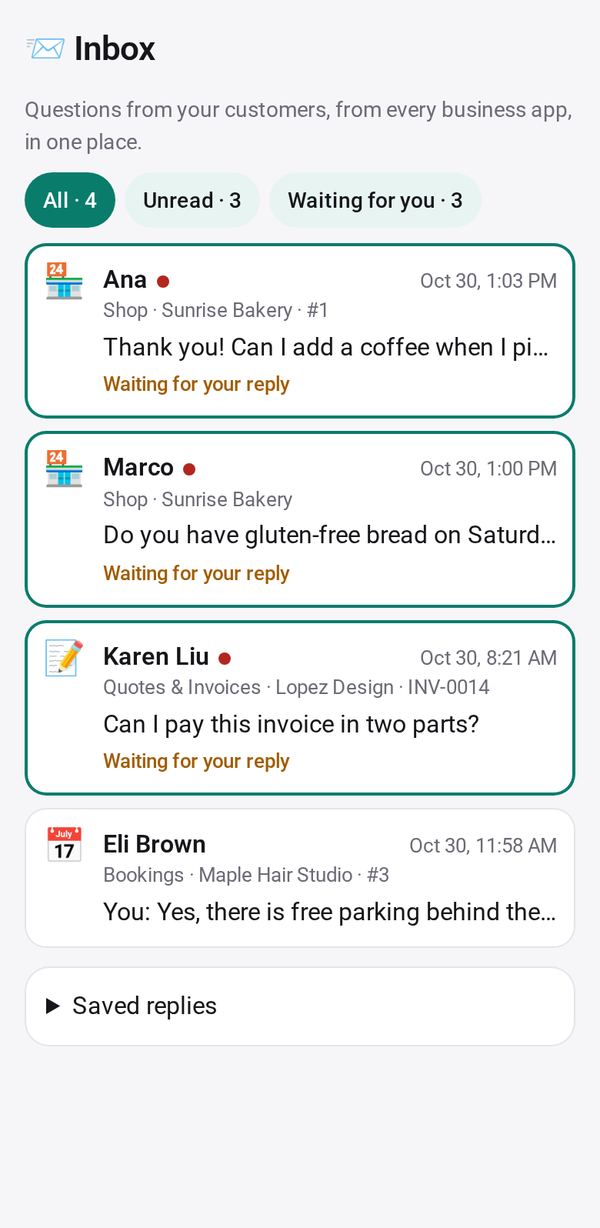
All questions in one Inbox
- Add Inbox from the Gallery and tap Allow for your business apps.
- Every question shows in one list, unread first. Use All, Unread and Waiting for you to filter.
- Tap a question to reply, or pick one of your Saved replies.
- Prefer your usual app? Continue in WhatsApp, Text, Email or Call opens it with your reply filled in. Open takes you to the order or booking.
When you reply
Your answer shows on the customer's page. If they turned on Tell me when they reply, their browser gets a notice that there is an answer; the notice itself carries no words.
To hear about new questions while Studio is closed, turn on notifications.