
Docs › Studio › For your business
Take orders by phone
Tap the order while the caller talks, or say it after the call. A regular's usual order is one tap away.
Set up
- Add Phone Orders from the Gallery.
- In the Menu tab, add items with a category and price, or tap 🏪 Use my Shop menu.
- Set how many minutes an order usually takes, and a delivery fee if you charge one.
During the call
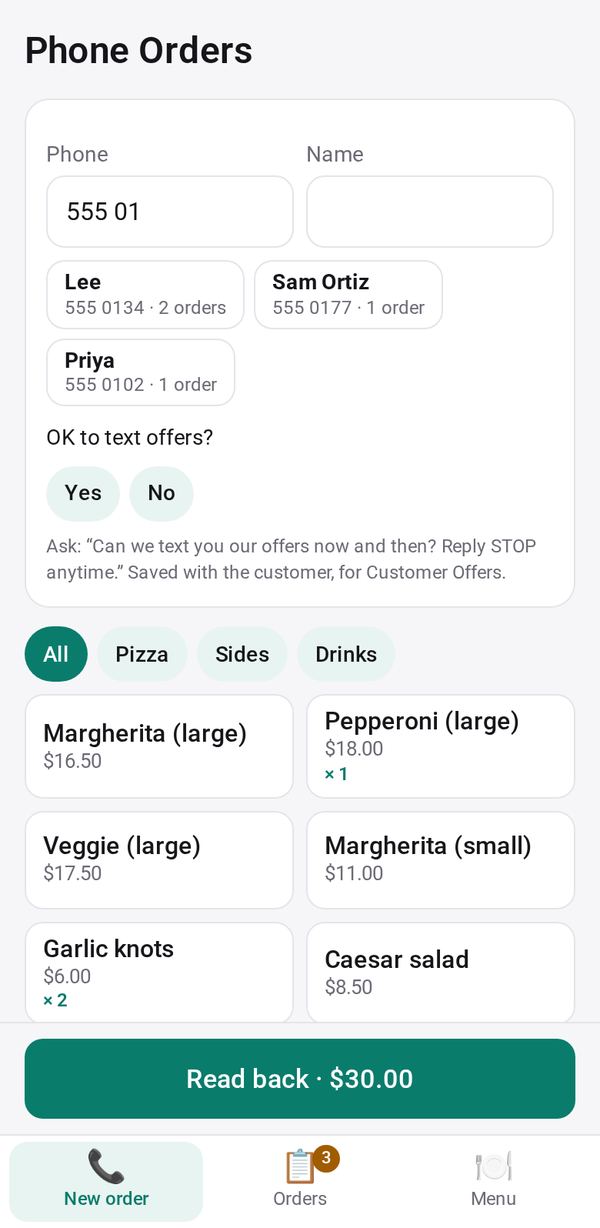
- In New order, type the caller's number. A regular's name fills in, with what they usually order and ↺ Again for a recent order.
- Tap the menu buttons to add items, then pick Pickup or Delivery and a time.
- Tap Read back · total for a large summary to read to the caller, then Save order. 💬 Text a confirmation sends it from your phone.
Busy? Take the order after the call: 🎤 Say the order or ✍️ Type what they said, and the AI matches it to your menu. Lines it can't match are marked so you check the price.
See who is calling: Studio Caller ID
Studio Caller ID (version 1.0.0) is a small Android add-on for the shop's phone that rings. It sends each caller's number, sealed end to end, to the iPad, computer or phone where you take orders, so the order starts with the number filled in. On the same Android phone, it opens Phone Orders directly. It is an APK from our site, not on Google Play.
Follow each order
In Orders: Start making, Ready: text them, Picked up, then Mark paid. To make adds up the items of every open order.