
Chore Chart
Chores that rotate fairly each week, with stars for the kids
- 🏠 Home & family
- Just for you
- Version 4
- Free · no account
What it does
- Household chores that rotate every week
- Tick them off and earn stars
- A daily reminder
How to start
- Open Studio on your phone, on the web or on your computer, and tap Gallery (or the Find an App tile).
- Find Chore Chart under Home & family, and tap Add.
Try it with example data (in your browser, nothing is kept) · Open it in Studio on the web
Using it needs no AI. New to Studio? Get started.
Main tasks
Set up people and chores
In ⚙ Edit, add the people in your home and the chores, daily or weekly.
Tick off today's chores
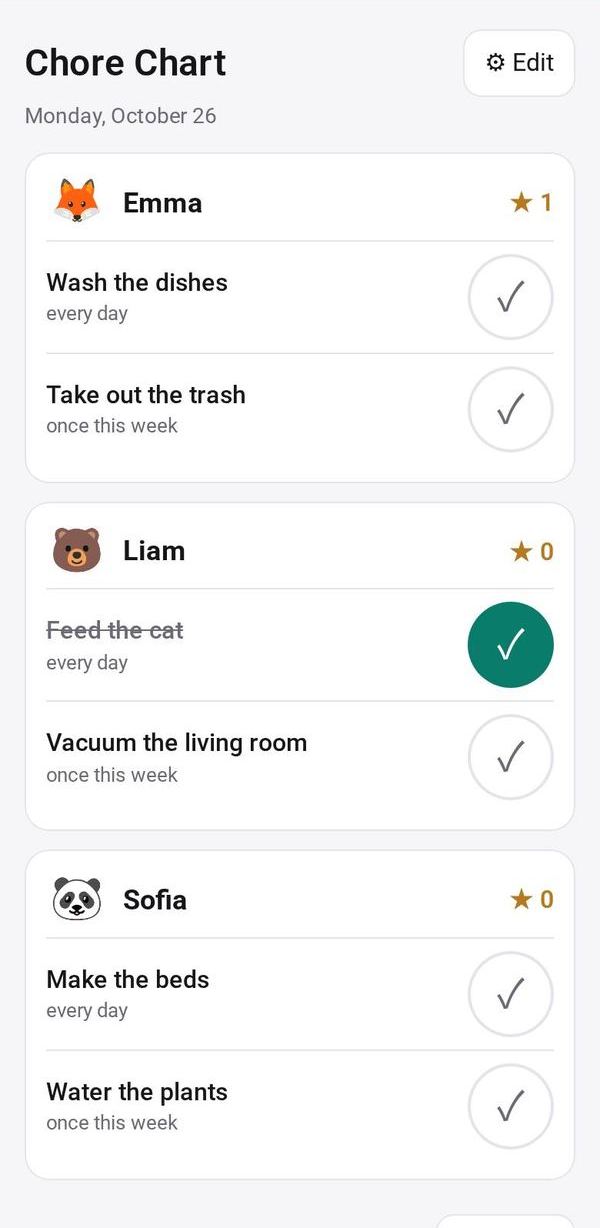
Each person has a card with today's chores. Tap the big tick when one is done to earn a star.
Check the week
Open This week to see who has which chores and how far each person has got. Chores move to the next person every Monday; tap Shuffle to restart the rotation.
Set a daily reminder
Choose a time for the "Chores time" reminder, or turn it Off. It is skipped on days when everything is already done.
Make it yours
Ask Studio: “Points instead of stars, and a weekly reward”
Hold the app and tap Edit with AI, then say what to change in plain words. Every version is kept in History. How to ask well.
In these ready-made spaces
- 🏡 Home & family (You and your family)
- 🎒 Parents & school (You and your family)