
Class Yearbook
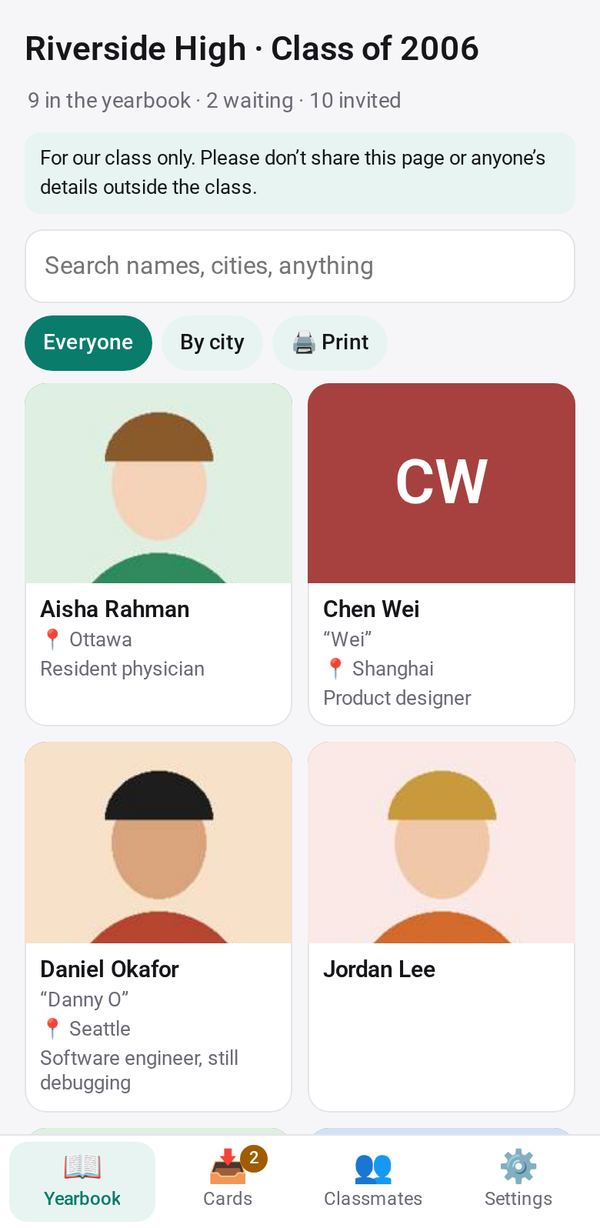
Make a class yearbook: classmates add a photo, where they are now and a message from one link, you approve each card, and the class reads, searches and prints it
- 👥 Groups & events
- Send it to people
- Version 1
- Free · no account
What it does
- Classmates add a photo, where they are now and a message, from one link or their own
- You approve each card before the class sees it
- The class reads and searches the yearbook, and can print it
The people you send its link to open it in any browser, with nothing to install and no account. What they send comes back sealed, so only you can read it.
How to start
- Open Studio on your phone, on the web or on your computer, and tap Gallery (or the Find an App tile).
- Find Class Yearbook under Groups & events, and tap Add.
Try it with example data (in your browser, nothing is kept) · Open it in Studio on the web
Using it needs no AI. New to Studio? Get started.
Main tasks
Set up the class
In settings, enter the class name, school and year, and choose the questions and contacts to ask for. Turn on the setting for a class of children if parents will fill in the cards.
Start the yearbook link
In Classmates, tap Start the yearbook link, then Send, Copy or show the QR code. Or tap "+ Add classmates" to give each person their own link.
Approve the cards
In Cards, review new and changed cards and tap "Add to the yearbook", "Use the new version" or Remove. Add all approves everyone at once.
Share and keep the yearbook
Classmates read and search the yearbook from the link. Print it, save a keepsake page, or export a CSV of contacts for yourself.
Make it yours
Ask Studio: “Add a question: your favorite memory from school”
Hold the app and tap Edit with AI, then say what to change in plain words. Every version is kept in History. How to ask well.
In these ready-made spaces
- 🎓 Class & alumni (Groups and work)