
Customer Insights
See who your customers are: who buys, how often, what sells, how this month compares, with tags, notes, duplicates to merge and follow-up reminders
- 🏷️ Sell & side business
- Just for you
- Version 8
- Free · no account
What it does
- Your customers from Shop, Order Form, Bookings, Phone Orders and more, in one list
- Who buys, how often, what sells, and how this month compares
- Tags, notes, duplicates to merge, and follow-up reminders by hand or by rule
How to start
- Open Studio on your phone, on the web or on your computer, and tap Gallery (or the Find an App tile).
- Find Customer Insights under Sell & side business, and tap Add.
Try it with example data (in your browser, nothing is kept) · Open it in Studio on the web
Using it needs no AI. New to Studio? Get started.
Main tasks
Bring in your sales
Tap Allow for Shop, Order Form, Sign-up Sheet, Quotes & Invoices, Bookings and Phone Orders. Everything is worked out on your device.
See how business is going
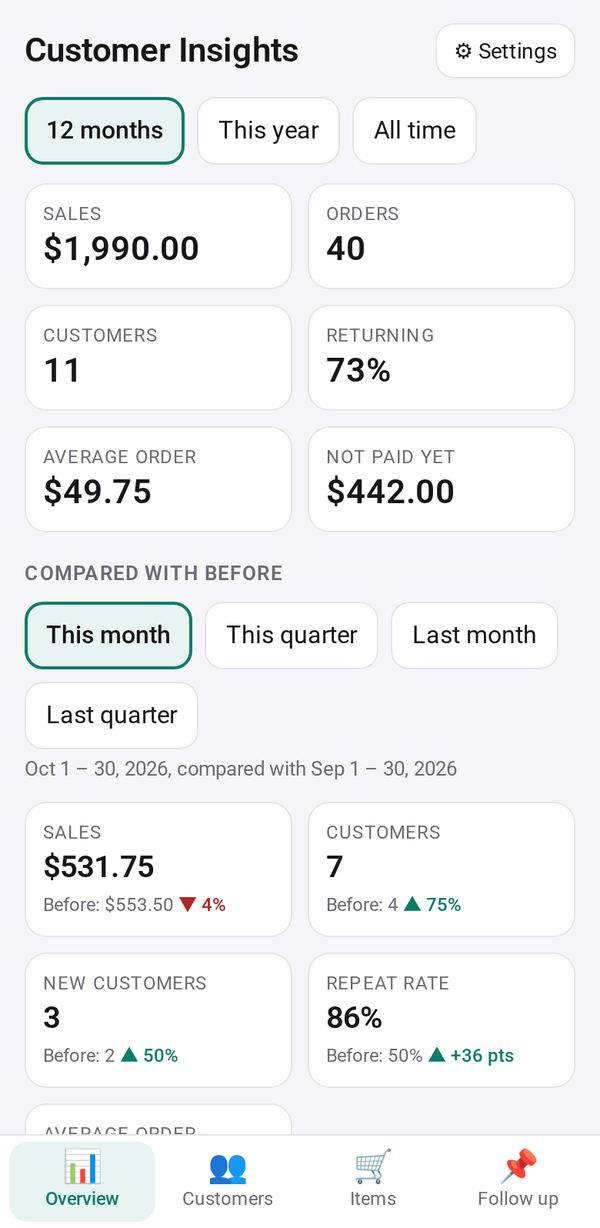
Overview shows sales, orders, returning customers, top customers and how this month or quarter compares with before. Items shows your best sellers.
Get to know a customer
In Customers, tap a name to see every order, add tags and notes, and email, call or message them. Review possible duplicates and merge them.
Follow up
Tap "🔔 Remind me to follow up" on a customer, or set a rule for regulars or a group. The Follow up tab lists who is due, with buttons to message them.
Make groups and export
Tap "+ Group" to save a group, such as customers who spent over an amount. Export CSV saves the customers listed.
Make it yours
Ask Studio: “Flag anyone who hasn't ordered in 60 days”
Hold the app and tap Edit with AI, then say what to change in plain words. Every version is kept in History. How to ask well.
In these ready-made spaces
- ☕ Café (Your business)
- 💇 Salon & services (Your business)
- 🛠️ Contractor (Your business)
- 🧺 Farm & market (Your business)