
Expense Report
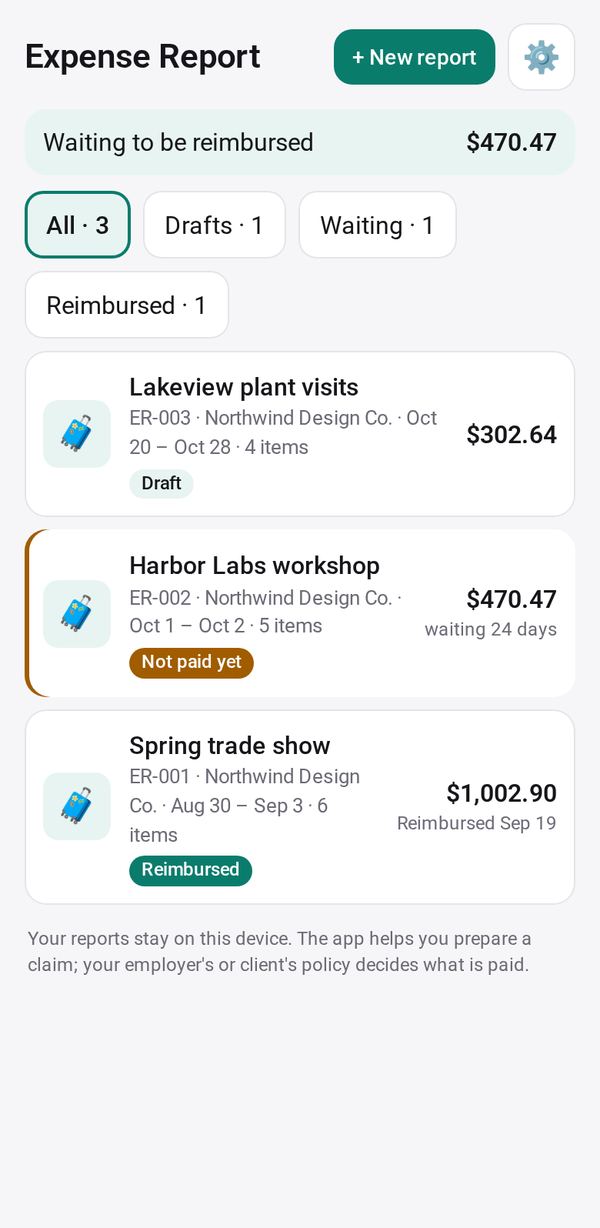
Turn your receipts and work trips into an expense report with a per diem, then track it until you're reimbursed
- 🛠️ Work
- Just for you
- Version 1
- Free · no account
What it does
- Tick receipts from Receipt Keeper and trips from Mileage, for a period and a project
- Add other items and a per diem
- A report to print or save as PDF, a CSV and the receipt images, then track it until you're reimbursed
How to start
- Open Studio on your phone, on the web or on your computer, and tap Gallery (or the Find an App tile).
- Find Expense Report under Work, and tap Add.
Try it with example data (in your browser, nothing is kept) · Open it in Studio on the web
Using it needs no AI. New to Studio? Get started.
Main tasks
Start a report
Create a report with the project, who you claim from, the purpose and the period. Its number is filled in for you.
Add receipts and trips
Tap "+ Receipts and trips" and tick items from Receipt Keeper and Mileage Log; anything already on another report can't be ticked twice. Add other items with "+ Add an item", "📷 From a photo" or "📋 Paste text".
Add a per diem
Turn on Per diem and check the daily rate, the days, and the share for the first and last day.
Make the files
Check "Before you send it", then save "🖨️ Report to print" (print or save as PDF), a CSV, or a "📦 Zip" with the receipt images. Use Send to email or text your approver.
Track reimbursement
Tap "Mark as submitted". You get reminders while it waits; tap "Mark reimbursed" with the date and amount once you are paid.
Make it yours
Ask Studio: “Add my company's cost codes to each line”
Hold the app and tap Edit with AI, then say what to change in plain words. Every version is kept in History. How to ask well.
In these ready-made spaces
- 🧰 Side hustle (You and your family)
- 💼 At work (Groups and work)