
Expense Split
After a trip, know exactly who owes whom
- 💰 Money
- Just for you
- Version 5
- Free · no account
What it does
- Note who paid for what on a trip or a night out
- Every expense is split equally
- See who owes whom at the end
How to start
- Open Studio on your phone, on the web or on your computer, and tap Gallery (or the Find an App tile).
- Find Expense Split under Money, and tap Add.
Try it with example data (in your browser, nothing is kept) · Open it in Studio on the web
Using it needs no AI. New to Studio? Get started.
Main tasks
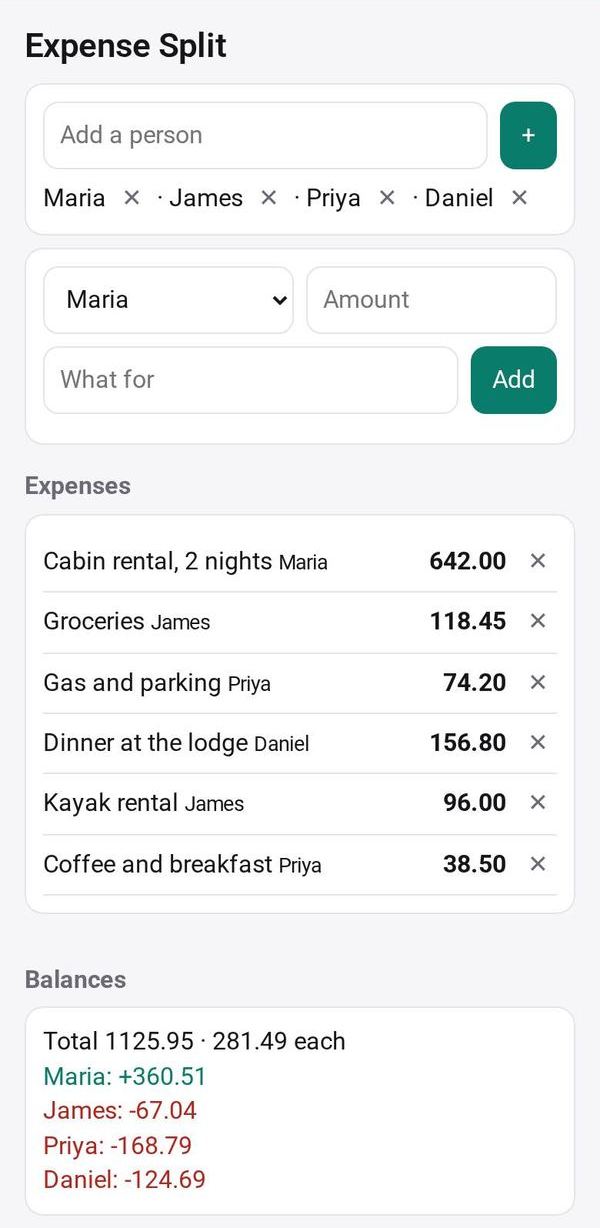
Add the people
Enter the names of everyone on the trip or at the dinner.
Note each expense
Add who paid, how much and what it was for. Every expense is split equally among everyone.
Settle up
See each person's balance and who owes whom, with as few payments as possible.
Share the running list
Share the app with its data so the group sees the same list.
Make it yours
Ask Studio: “Show amounts in two currencies for a trip abroad”
Hold the app and tap Edit with AI, then say what to change in plain words. Every version is kept in History. How to ask well.
In these ready-made spaces
- 💵 Household money (You and your family)
- ✏️ Student (You and your family)
- 🤝 Clubs & groups (Groups and work)
- 🎓 Class & alumni (Groups and work)