
Favorite Places
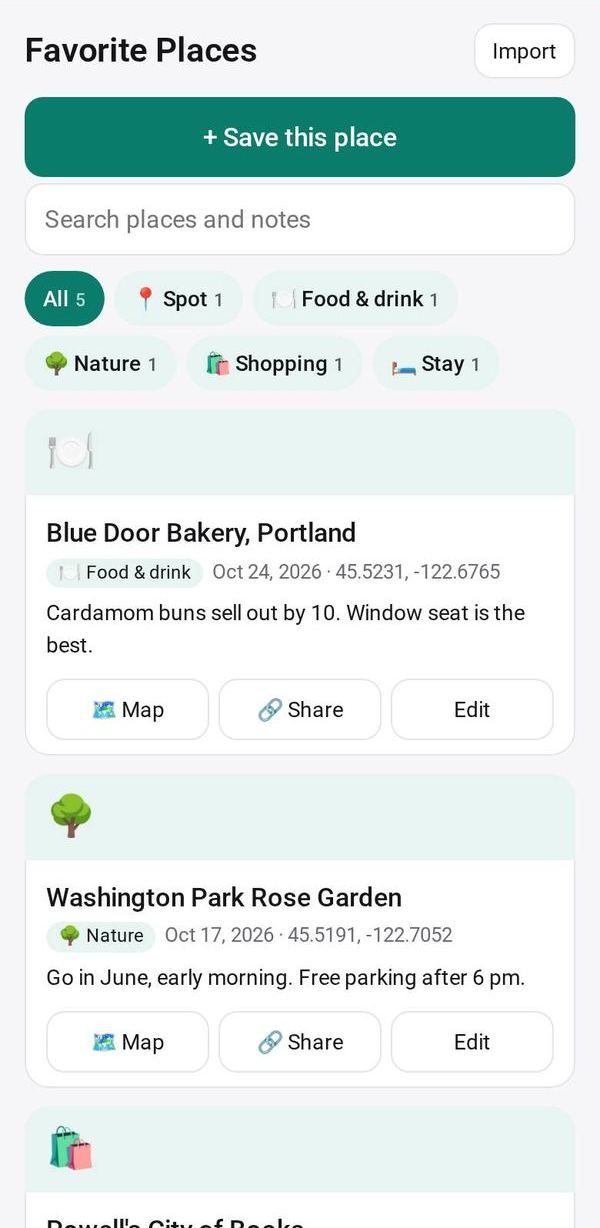
Keep the places you love with where they are, photos and a note; open them in maps or send one to a friend
- 🏠 Home & family
- Just for you
- Version 4
- Free · no account
What it does
- Save the place where you are, and its name is found for you
- Photos, a note and a category for each one, with search
- Open it in your maps app, or send it to a friend
How to start
- Open Studio on your phone, on the web or on your computer, and tap Gallery (or the Find an App tile).
- Find Favorite Places under Home & family, and tap Add.
Try it with example data (in your browser, nothing is kept) · Open it in Studio on the web
Using it needs no AI. New to Studio? Get started.
Main tasks
Save the place you are at
Add a place, and its name is found from where you are. You can also use a photo's location, or have the AI read the name from a sign in the photo.
Add photos and notes
Give each place a category, a note and up to 4 photos. Tap a photo to see it full screen.
Find a place
Tap a category chip or search by name, category or note.
Go there or share it
Tap Map to open it in your maps app, or Share to send it to a friend. A place a friend shares with you can be pasted in with Import.
Make it yours
Ask Studio: “Add a column for the dish I'd order again”
Hold the app and tap Edit with AI, then say what to change in plain words. Every version is kept in History. How to ask well.
In these ready-made spaces
- 🌱 Personal starter (You and your family)
- 🎨 Hobbies (You and your family)