
Flashcards
Learn anything with cards that come back just before you forget
- 📚 Learning & people
- Just for you
- Version 3
- Free · no account
What it does
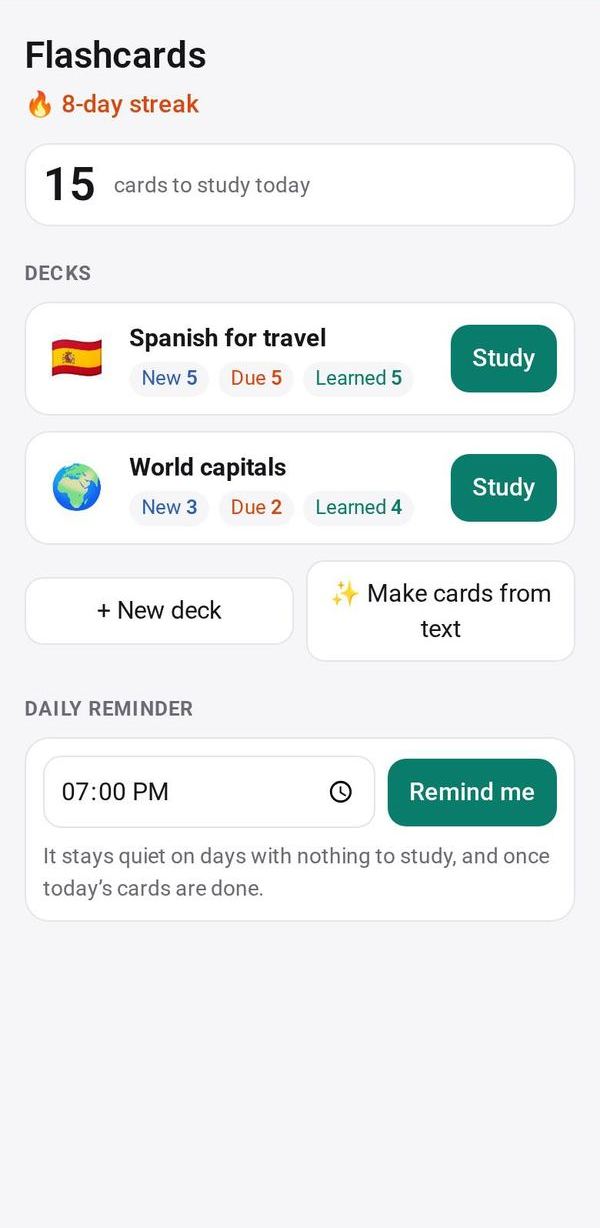
- Decks of flashcards with spaced repetition
- The cards due today come first, with a daily streak
- A reminder only when cards are waiting
How to start
- Open Studio on your phone, on the web or on your computer, and tap Gallery (or the Find an App tile).
- Find Flashcards under Learning & people, and tap Add.
Try it with example data (in your browser, nothing is kept) · Open it in Studio on the web
Using it needs no AI. New to Studio? Get started.
Main tasks
Make a deck
Create a deck and add cards by hand. Use Paste many for one card per line, or import a CSV file.
Make cards from text
Tap "Make cards from text" and paste your notes. The AI suggests up to 30 cards; tick and edit the ones you want, then add them.
Study what is due
Open a deck and tap Show answer, then grade it Again, Hard, Good or Easy. Each button shows when you will see that card next. Cards due today come first, then new ones.
Keep your streak
Turn on the daily study reminder. It only comes when cards are waiting.
Export a deck
Save any deck as a CSV file with the front and back of each card.
Make it yours
Ask Studio: “Add a deck of Spanish verbs, quiz me both ways”
Hold the app and tap Edit with AI, then say what to change in plain words. Every version is kept in History. How to ask well.
In these ready-made spaces
- 🎒 Parents & school (You and your family)
- ✏️ Student (You and your family)
- 🎨 Hobbies (You and your family)
- 🔎 Job search (Groups and work)