
Focus Timer
Focused work sessions with breaks, and a record of your focused time
- 🌱 Health & habits
- Just for you
- Version 4
- Free · no account
What it does
- Focus and break sessions on a calm ring timer
- An alert when each one ends
- A record of where your focused time went
How to start
- Open Studio on your phone, on the web or on your computer, and tap Gallery (or the Find an App tile).
- Find Focus Timer under Health & habits, and tap Add.
Try it with example data (in your browser, nothing is kept) · Open it in Studio on the web
Using it needs no AI. New to Studio? Get started.
Main tasks
Start a focus session
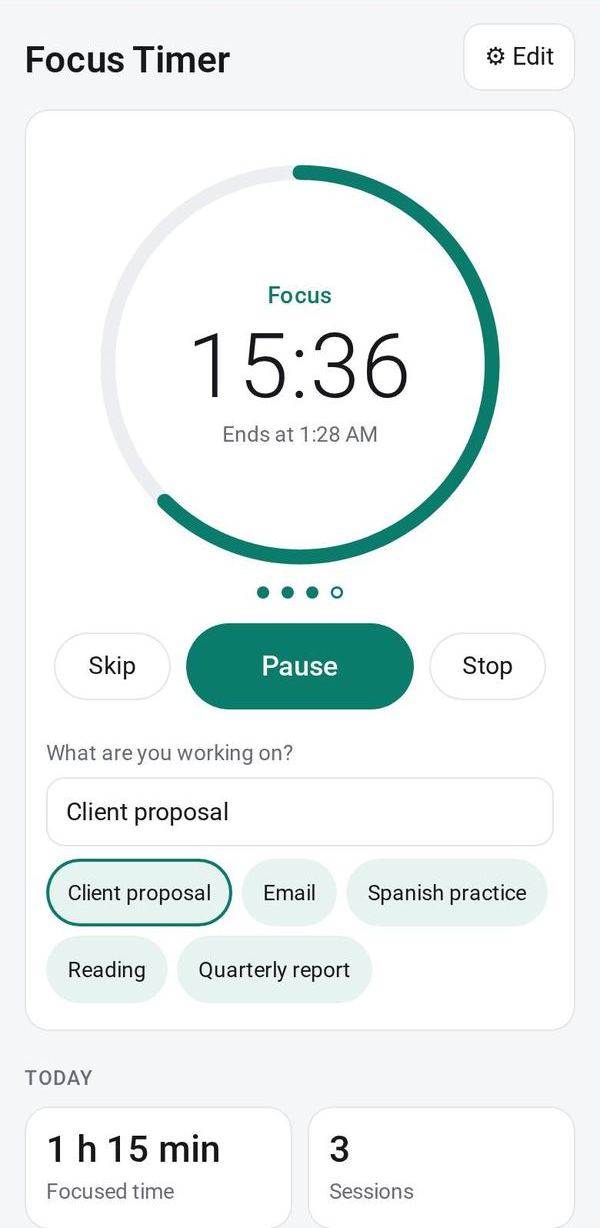
Pick or type what you are working on, then tap Start. The ring counts down, and you get an alert when it ends.
Take breaks
After each focus session comes a short break, and a long break after a few sessions. Use Pause, Skip or Stop as needed.
Adjust the timer
In ⚙ Edit, set the focus, short and long break lengths, how often the long break comes, and whether the next phase starts by itself.
See where your time went
See today's minutes, a 7-day chart, totals per task for the week and your last sessions. Export them as CSV.
Make it yours
Ask Studio: “Make sessions 50 minutes with 10-minute breaks”
Hold the app and tap Edit with AI, then say what to change in plain words. Every version is kept in History. How to ask well.
In these ready-made spaces
- 💪 Health & habits (You and your family)
- ✏️ Student (You and your family)
- 🔎 Job search (Groups and work)
- 💼 At work (Groups and work)