
Group FAQ
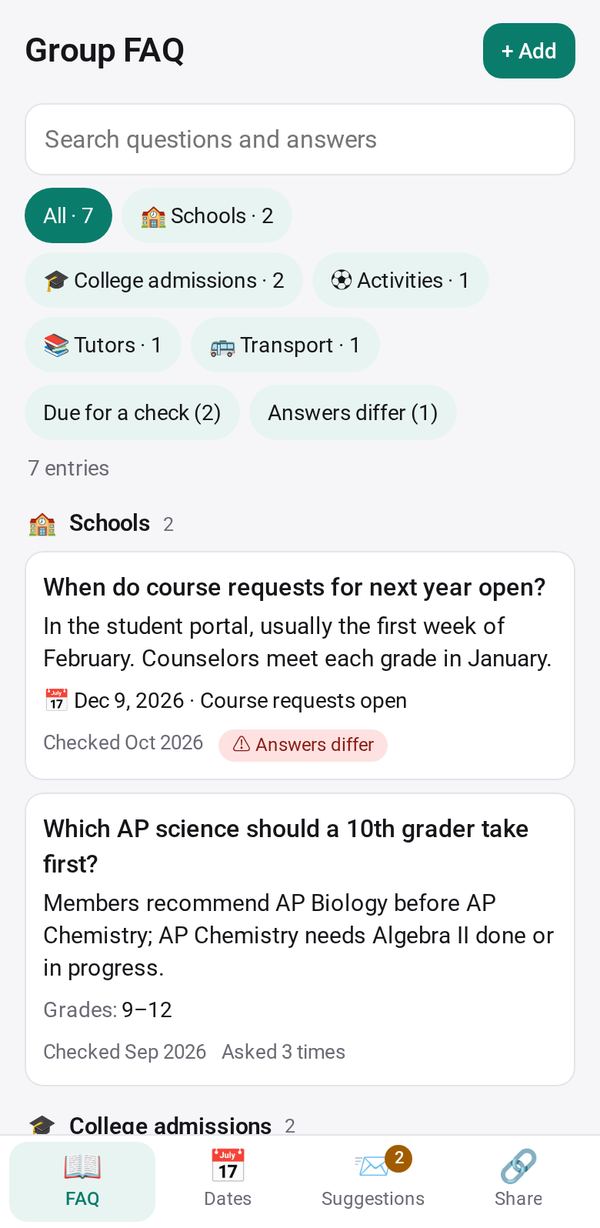
Turn a busy group chat into a searchable FAQ: the AI finds the questions and answers without names or numbers, you check each one, the group reads one link
- 👥 Groups & events
- Send it to people
- Version 2
- Free · no account
What it does
- Paste chat messages or add screenshots, and the AI finds the questions and answers
- Names and phone numbers are left out, and you check each answer
- The group reads and searches it from one link, and can suggest questions
The people you send its link to open it in any browser, with nothing to install and no account. What they send comes back sealed, so only you can read it.
How to start
- Open Studio on your phone, on the web or on your computer, and tap Gallery (or the Find an App tile).
- Find Group FAQ under Groups & events, and tap Add.
Try it with example data (in your browser, nothing is kept) · Open it in Studio on the web
Using it needs no AI. New to Studio? Get started.
Main tasks
Add the group's chat
Paste messages, add a chat export file, or add up to 4 screenshots. Names, phone numbers and emails are removed on your phone before the AI finds the questions and answers.
Check each answer
On the review screen, update a saved answer, add a new one, flag a difference or skip. Nothing is saved until you tap Save.
Publish the link
In the Share tab, tap Publish, then Send, Copy or show a QR code. The group reads and searches the FAQ in their browser.
Handle suggestions
Readers can send questions and corrections. In Suggestions, answer one, edit the entry, add it as a new entry, or dismiss it.
Keep it current
Filter by "Due for a check" and tap "Still right ✓" on answers that hold. Share the new and changed entries with the group as a message.
Make it yours
Ask Studio: “Add a section for pickup times and the address”
Hold the app and tap Edit with AI, then say what to change in plain words. Every version is kept in History. How to ask well.
In these ready-made spaces
- 🎒 Parents & school (You and your family)
- 🤝 Clubs & groups (Groups and work)
- 🎓 Class & alumni (Groups and work)