
Home & Car Care
Filters, batteries, oil changes: see what your home and car need next, mark it done, and know what upkeep costs
- 🏠 Home & family
- Just for you
- Version 4
- Free · no account
What it does
- Filters, batteries, oil changes, inspections and other upkeep that comes back
- See what is due, mark it done, and get a reminder in time
- A cost history for the home and each car
How to start
- Open Studio on your phone, on the web or on your computer, and tap Gallery (or the Find an App tile).
- Find Home & Car Care under Home & family, and tap Add.
Try it with example data (in your browser, nothing is kept) · Open it in Studio on the web
Using it needs no AI. New to Studio? Get started.
Main tasks
Add upkeep tasks
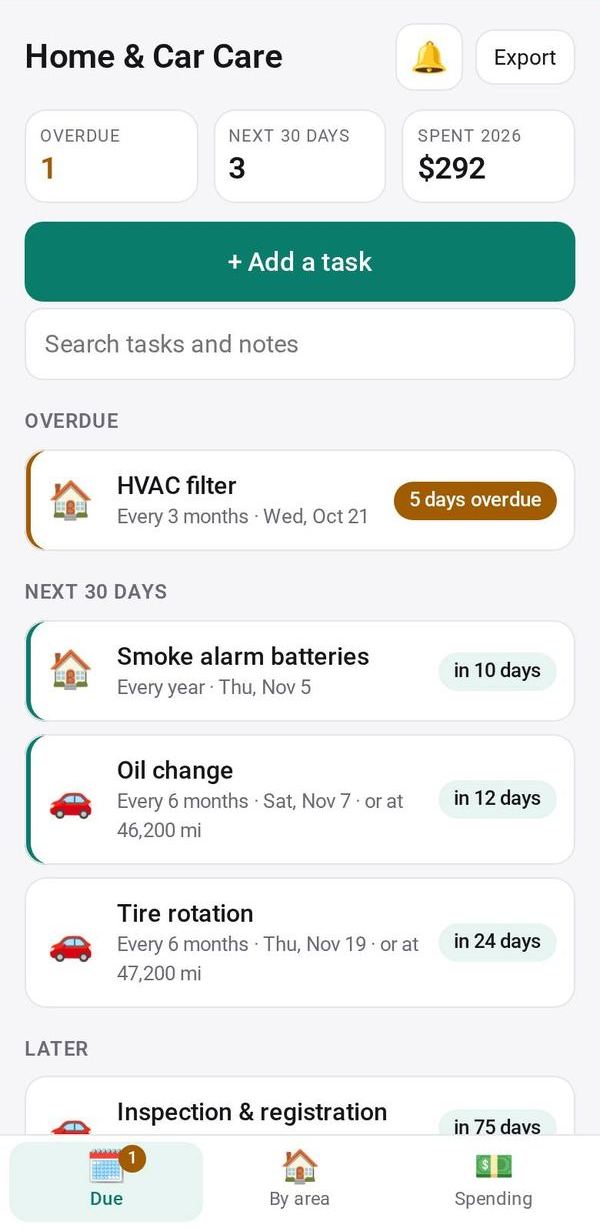
Pick ready-made tasks such as HVAC filter, smoke alarm batteries or oil change, or add your own with how often it repeats. Car tasks can also repeat by distance.
See what is due
The Due tab lists Overdue, Next 30 days and Later. By area groups tasks by home, car, garden and other.
Mark a task done
Tap Done and enter the date, cost, odometer for car tasks, and a note. The next due date moves on, and you can Undo.
Review spending
The Spending tab shows this year's total, the last 12 months and spending by area.
Set reminders
Choose how many days ahead and at what time you are reminded, and turn the reminder on or off for each task.
Make it yours
Ask Studio: “Add the lawn mower, with a tune-up every spring”
Hold the app and tap Edit with AI, then say what to change in plain words. Every version is kept in History. How to ask well.
In these ready-made spaces
- 🏡 Home & family (You and your family)