
Home Inventory
Keep a list of what you own with photos, prices and warranty dates, ready for insurance or a repair
- 🏠 Home & family
- Just for you
- Version 2
- Free · no account
What it does
- What you own, room by room, with photos, prices and serial numbers
- Warranty dates, with a reminder before one ends
- Ready for an insurance claim, a move or a repair
How to start
- Open Studio on your phone, on the web or on your computer, and tap Gallery (or the Find an App tile).
- Find Home Inventory under Home & family, and tap Add.
Try it with example data (in your browser, nothing is kept) · Open it in Studio on the web
Using it needs no AI. New to Studio? Get started.
Main tasks
Add what you own
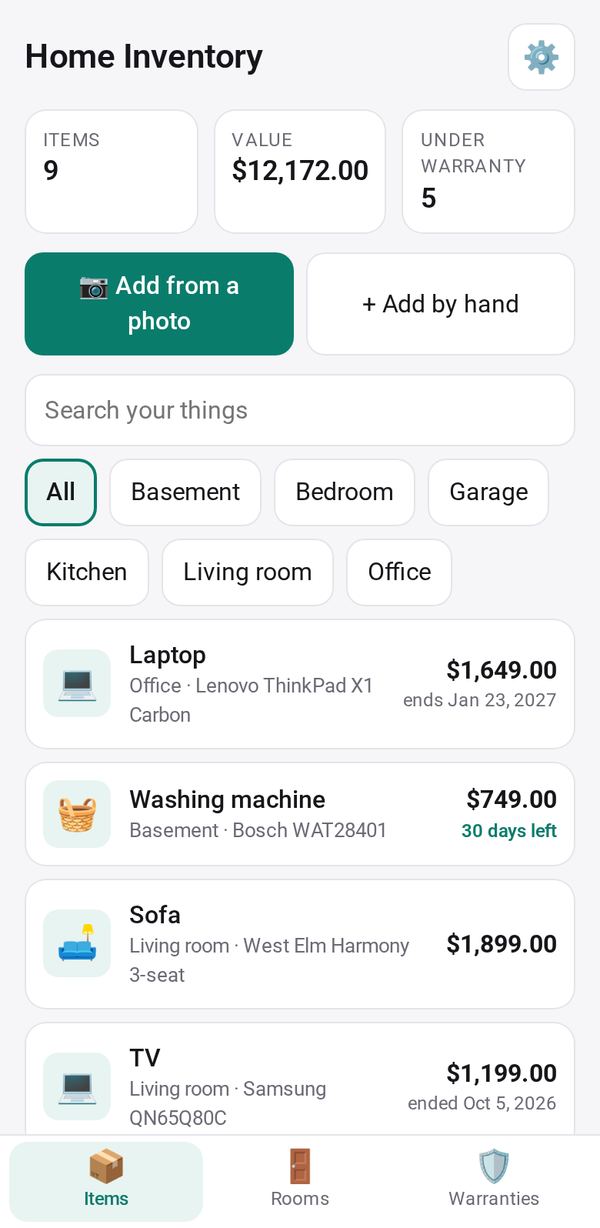
Tap "📷 Add from a photo" of the item, its label or its receipt; the AI fills in the name, brand, model, serial number, price and warranty for you to check. Or tap "+ Add by hand".
Organize by room
Give each item a room. The Rooms tab shows the value of each room; tap one to see its items.
Track warranties
The Warranties tab lists what ends in the next 60 days, what is still covered and what has ended. In ⚙, choose how long before the end you are reminded.
Export for insurance
In the Rooms tab, tap Export CSV and keep a copy somewhere other than your phone.
Make it yours
Ask Studio: “Add a column for where I bought each item”
Hold the app and tap Edit with AI, then say what to change in plain words. Every version is kept in History. How to ask well.
In these ready-made spaces
- 🏡 Home & family (You and your family)