
Investment Journal
Write down why before you buy or sell, and learn from it later
- 💰 Money
- Just for you
- Version 4
- Free · no account
What it does
- Before you buy or sell, write down why and what would prove you wrong
- A review date with a reminder: your reasoning next to what happened
- The AI asks hard questions, never picks; your own record shows which ideas worked
How to start
- Open Studio on your phone, on the web or on your computer, and tap Gallery (or the Find an App tile).
- Find Investment Journal under Money, and tap Add.
Try it with example data (in your browser, nothing is kept) · Open it in Studio on the web
Using it needs no AI. New to Studio? Get started.
Main tasks
Write an entry before you act
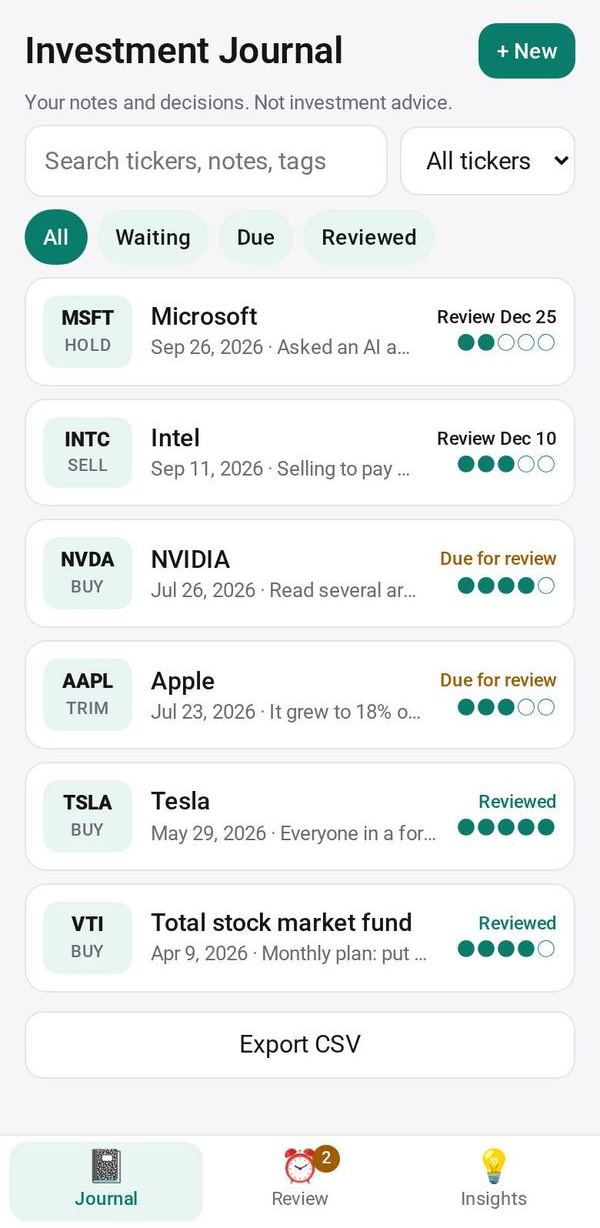
Add an entry with the ticker, what you plan to do, why, what would prove you wrong, how confident you are and when to look again.
Ask hard questions
Tap "Ask hard questions" on an entry. The AI asks about risks and gaps in your reasoning, never tells you what to do, and your answers are saved with the entry.
Review when the date comes
Open the Review tab, where entries due for review come first, and you get a reminder on the review date. Compare your reasoning with what happened, then note whether you followed your exit rule and what you learned.
See what your record says
Open Insights to see how often your reasoning was right, by where the idea came from and by how confident you were.
Search and export
In the Journal tab, search or filter by status or ticker, and export your entries as a CSV file.
Make it yours
Ask Studio: “Add a field for how much I could afford to lose”
Hold the app and tap Edit with AI, then say what to change in plain words. Every version is kept in History. How to ask well.
In these ready-made spaces
- 📊 Investing (You and your family)