
Meeting Notes
Agenda, notes and who does what: type or dictate (never recorded), the AI tidies them into decisions and action items you check, then send the recap
- 🛠️ Work
- Just for you
- Version 1
- Free · no account
What it does
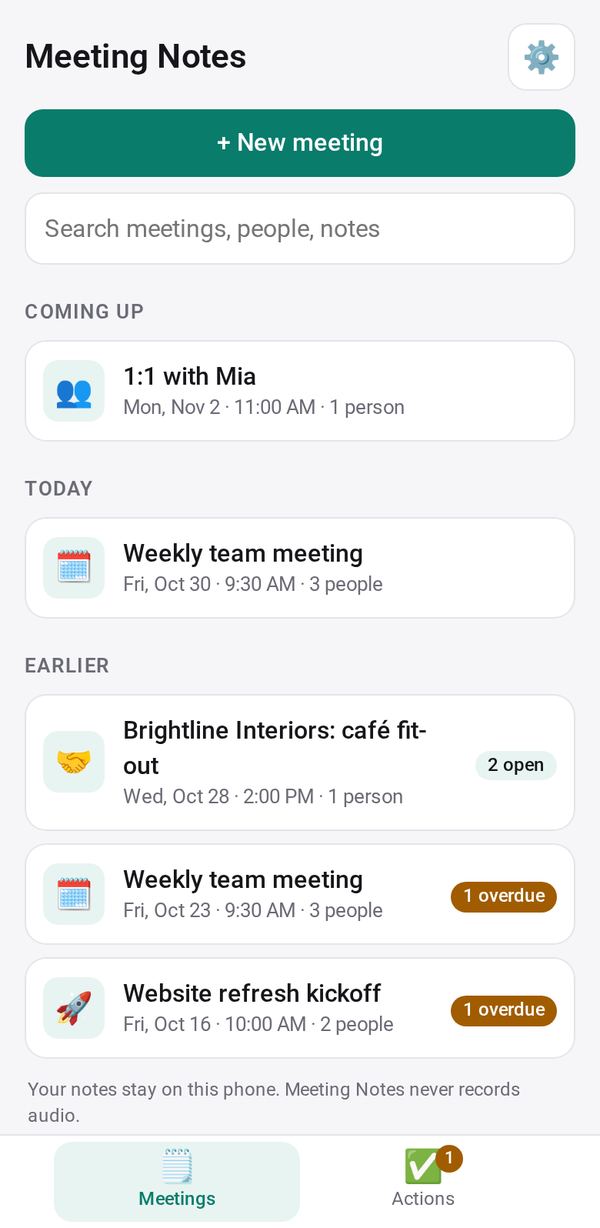
- An agenda from a template, and notes you type or dictate (never recorded)
- The AI tidies them into a summary, decisions and action items for you to check
- Everyone's action items across meetings, with reminders, and a recap sent from your phone
How to start
- Open Studio on your phone, on the web or on your computer, and tap Gallery (or the Find an App tile).
- Find Meeting Notes under Work, and tap Add.
Try it with example data (in your browser, nothing is kept) · Open it in Studio on the web
Using it needs no AI. New to Studio? Get started.
Main tasks
Set up a meeting
Tap "+ New meeting", pick a template such as one-on-one or client, and add the title, date, time, place and people. Open action items from last time show at the top.
Take notes
Tick off the agenda and type your notes, or dictate them. Nothing is ever recorded.
Tidy with AI
Tap "✨ Tidy with AI" for a summary, decisions and action items with owners and dates. Tick what to keep and tap "Add to the meeting"; your original notes stay with Put back.
Send the recap
Tap "✉️ Send recap", edit the text, then email everyone, text or WhatsApp each person, share or copy it.
Follow the action items
The Actions tab shows Mine, Others', All and Done, overdue first. Tick items done, and get reminders for yours. Tap "→ Next meeting" to plan the next one.
Make it yours
Ask Studio: “Add a template for our weekly team meeting”
Hold the app and tap Edit with AI, then say what to change in plain words. Every version is kept in History. How to ask well.
In these ready-made spaces
- 💼 At work (Groups and work)