
Mileage Log
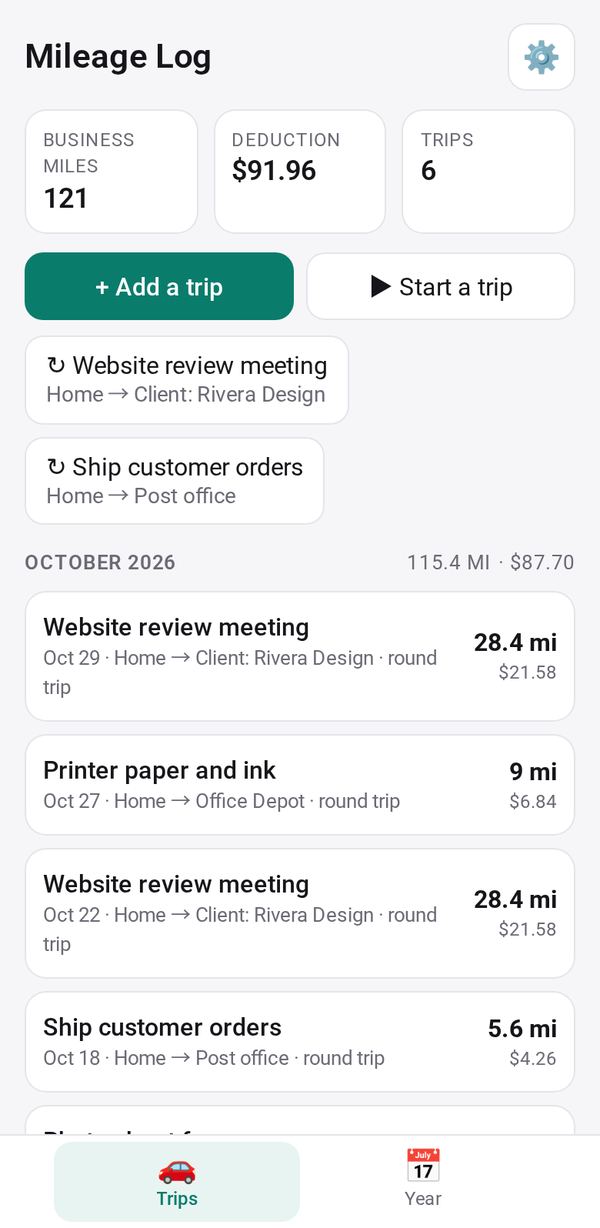
Log the trips you drive for work and see the deduction at the standard rate, ready for your tax return
- 🏷️ Sell & side business
- Just for you
- Version 4
- Free · no account
What it does
- Saved places, and the distance remembered between them
- Start a trip with one tap, and end it when you arrive
- Parking and tolls per trip, with the deduction at the standard rate
How to start
- Open Studio on your phone, on the web or on your computer, and tap Gallery (or the Find an App tile).
- Find Mileage Log under Sell & side business, and tap Add.
Try it with example data (in your browser, nothing is kept) · Open it in Studio on the web
Using it needs no AI. New to Studio? Get started.
Main tasks
Set up your places and rate
In ⚙ Settings, choose miles or kilometers, add saved places such as Home or Office, and check the rate per mile or kilometer.
Log a trip
Tap "+ Add a trip" and enter the date, from, to, purpose and distance. Between saved places, the distance from last time fills in, and a usual trip can be logged in one tap.
Track a trip as you drive
Tap "▶ Start a trip" and pick where you are leaving from. When you arrive, tap "■ End trip" and choose where you went.
Add parking and tolls
Enter parking and tolls on a trip. They are counted on top of the standard rate.
Review the year and export
The Year tab shows the distance and deduction by month and by purpose, plus your odometer readings. Export the log as CSV.
Make it yours
Ask Studio: “Add a column for which client each trip was for”
Hold the app and tap Edit with AI, then say what to change in plain words. Every version is kept in History. How to ask well.
In these ready-made spaces
- 📚 Tutor (Your business)
- 🛠️ Contractor (Your business)
- 🧺 Farm & market (Your business)
- 🧰 Side hustle (You and your family)
- 💼 At work (Groups and work)