
Order Form
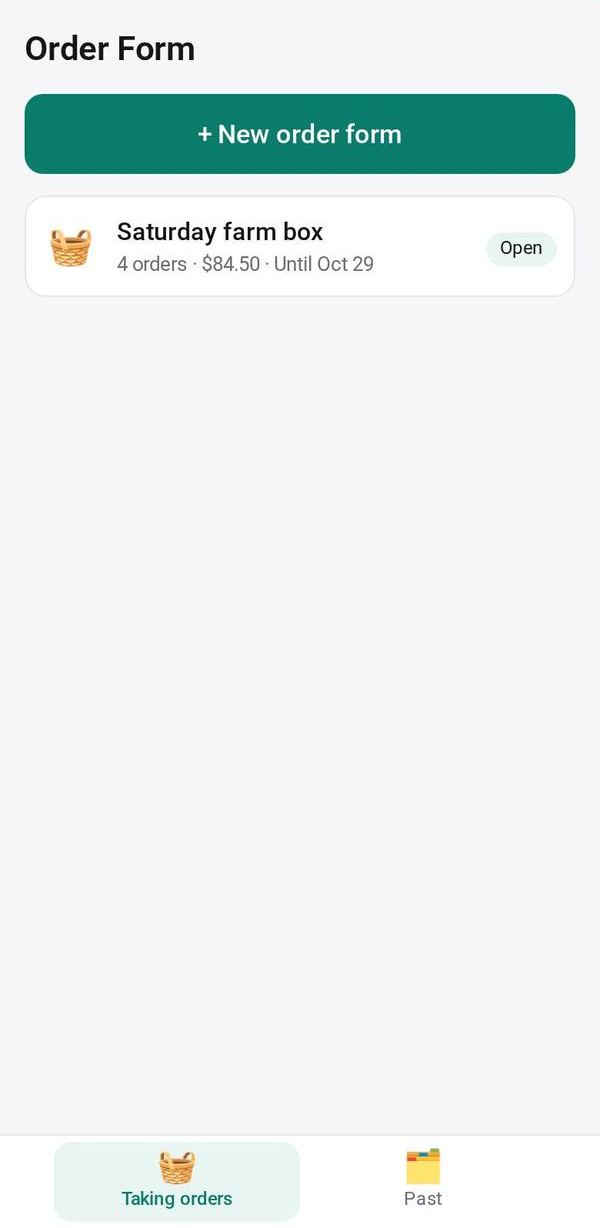
Take orders with a link: customers order in their browser, and you see every order, the total and what to prepare
- 🏷️ Sell & side business
- Send it to people
- Version 20
- Free · no account
What it does
- List what you sell, with prices
- People enter quantities and send you their order
- Every order comes back to your phone
The people you send its link to open it in any browser, with nothing to install and no account. What they send comes back sealed, so only you can read it.
How to start
- Open Studio on your phone, on the web or on your computer, and tap Gallery (or the Find an App tile).
- Find Order Form under Sell & side business, and tap Add.
Try it with example data (in your browser, nothing is kept) · Open it in Studio on the web
Using it needs no AI. New to Studio? Get started.
Main tasks
Make an order form
Add what you sell with prices and units, or tap "📷 Items from a photo" to read a handwritten list. For a farm round you can set how many are available, pickup spots and prices by weight.
Send the link
Tap Send link or Copy. Customers pick quantities in their browser and send their order; only you see the orders.
Prepare and pack
To prepare totals each item, with one list per pickup spot, and "🖨 Packing list" makes a page to print. For items sold by weight, use "⚖ Final amounts" to enter the actual weight.
Move orders along
Mark each order Ready, then Done; the customer sees the status on their page. If more was ordered than you have, trim the last orders or cancel one.
Collect payment and start again
Customers can pay and tap "I've paid"; you tap "Confirm paid" or "Mark paid", or "💳 Collect payments". Tap Next round for a new link with the same items.
Make it yours
Ask Studio: “Change the items to my bakery's menu, add a pickup day”
Hold the app and tap Edit with AI, then say what to change in plain words. Every version is kept in History. How to ask well.
In these ready-made spaces
- 🧺 Farm & market (Your business)