
People Notes
Remember people, what you talked about, and when to follow up
- 📚 Learning & people
- Just for you
- Version 5
- Free · no account
What it does
- How you know someone and what you talked about
- When to follow up, and their birthday
- Reminders so you don't forget
How to start
- Open Studio on your phone, on the web or on your computer, and tap Gallery (or the Find an App tile).
- Find People Notes under Learning & people, and tap Add.
Try it with example data (in your browser, nothing is kept) · Open it in Studio on the web
Using it needs no AI. New to Studio? Get started.
Main tasks
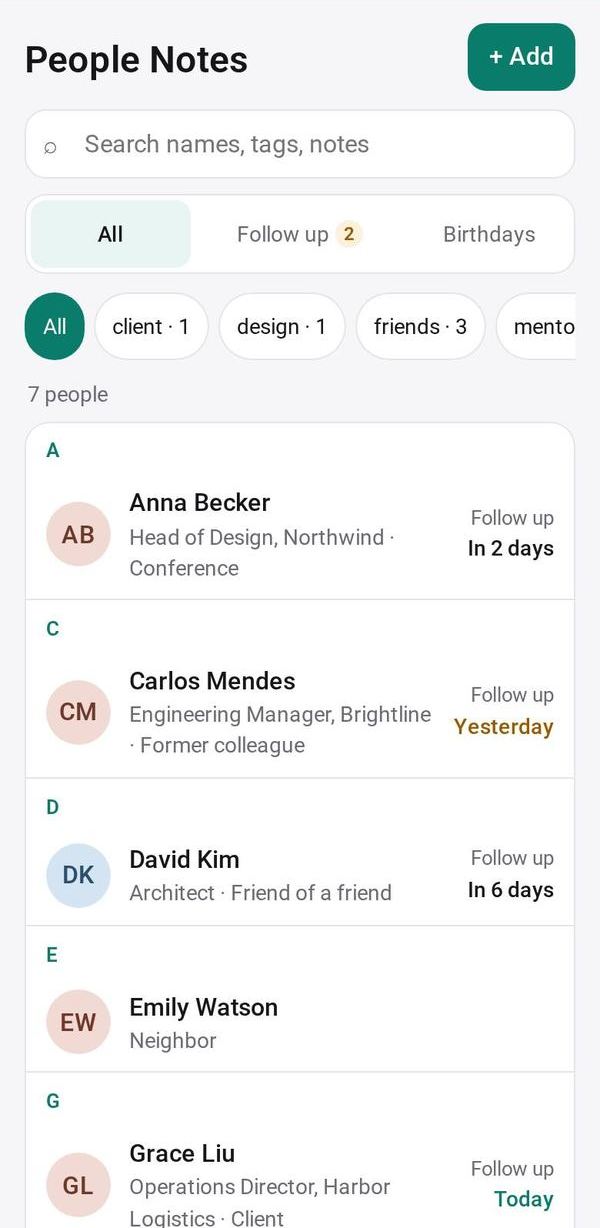
Add someone you met
Tap "Add someone you met" and note how you know them, where you met, their company, phone, email and birthday. "📷 Fill from a photo" reads a business card.
Keep notes on what you talked about
Open a person and add dated notes. Their page shows them as a timeline, newest first.
Plan a follow-up
Add a follow-up with what to do and a date. The Follow up view lists them as Overdue, Today, Next 7 days and Later; tick one when it is done.
Remember birthdays
The Birthdays view shows the next 60 days. Reminders come for follow-ups on the day and for birthdays the day before.
Search and export
Search across names, tags, notes and follow-ups, filter by tag, or Export CSV.
Make it yours
Ask Studio: “Add their kids' names and what they're into”
Hold the app and tap Edit with AI, then say what to change in plain words. Every version is kept in History. How to ask well.
In these ready-made spaces
- 💇 Salon & services (Your business)
- 📚 Tutor (Your business)
- 🔎 Job search (Groups and work)
- 💼 At work (Groups and work)