
Plant Care
Every plant watered on time: what to water today room by room, less in winter, a growth diary, and a list for your plant sitter
- 🏠 Home & family
- Just for you
- Version 1
- Free · no account
What it does
- Add a plant from a photo or a list of common houseplants, vegetables and herbs, room by room
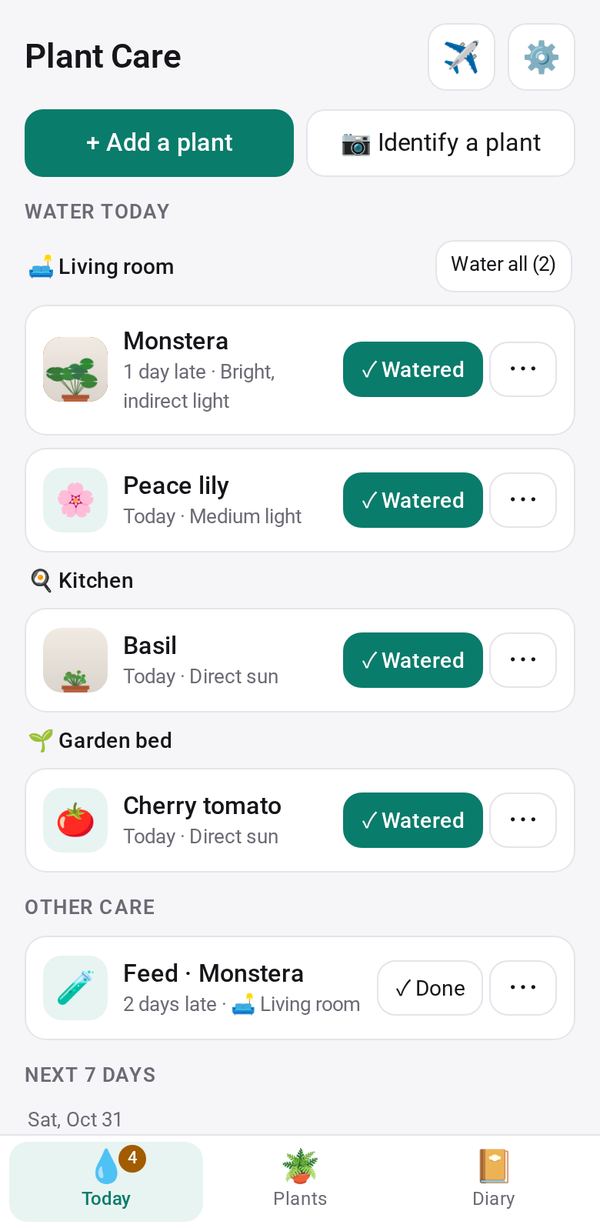
- See what to water today; it waters less in winter, learns when the soil is still wet, and reminds you to feed, repot and prune
- Keep a growth diary with photos, see possible causes when a plant looks unwell, and send a plant sitter a list when you're away
How to start
- Open Studio on your phone, on the web or on your computer, and tap Gallery (or the Find an App tile).
- Find Plant Care under Home & family, and tap Add.
Try it with example data (in your browser, nothing is kept) · Open it in Studio on the web
Using it needs no AI. New to Studio? Get started.
Main tasks
Add your plants
Pick from the built-in list of houseplants, vegetables and herbs, or tap "📷 Identify a plant" and check the suggestion against the label. Put each plant in a room.
Water what is due
The Today tab shows what to water, room by room. Tap ✓ Watered, or "Soil still wet: skip" or "Bone dry: watered", and the schedule adjusts to your plant.
Feed, repot and prune
Other care on the Today tab lists feeding, repotting and pruning when they come due. Tap Done, or Later to push it back a week.
Keep a diary and check problems
Add photos and notes in the Diary tab and compare the first photo with the latest. If a plant looks unwell, tap Something's wrong to see possible causes.
Going away
Enter your away dates. If someone will water, send the plant sitter a day-by-day list from your phone.
Make it yours
Ask Studio: “Add a misting reminder for the plants that like humid air”
Hold the app and tap Edit with AI, then say what to change in plain words. Every version is kept in History. How to ask well.
In these ready-made spaces
- 🏡 Home & family (You and your family)
- 🎨 Hobbies (You and your family)