
Portfolio
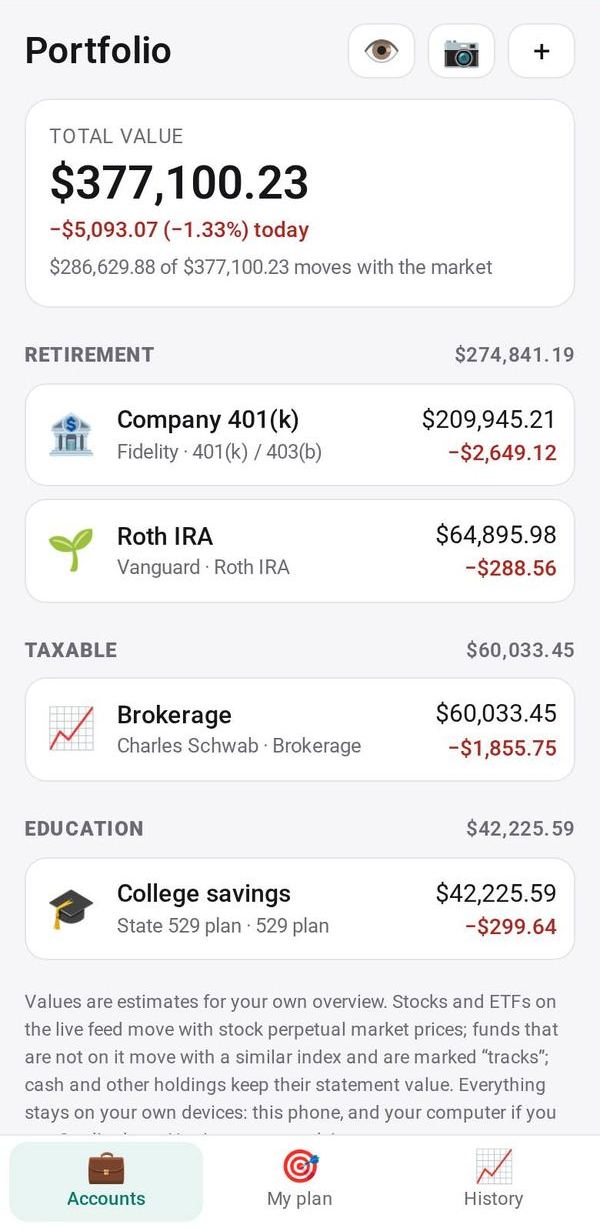
All your investment accounts in one total that moves with the market
- 💰 Money
- Just for you
- Version 9
- Free · no account
What it does
- Brokerage, 401(k), IRA, 529 and HSA accounts in one view
- Values that move with the market
- Add or update an account from a photo, with no logins
How to start
- Open Studio on your phone, on the web or on your computer, and tap Gallery (or the Find an App tile).
- Find Portfolio under Money, and tap Add.
Try it with example data (in your browser, nothing is kept) · Open it in Studio on the web
Using it needs no AI. New to Studio? Get started.
Main tasks
Add an account from a photo
Tap 📷 and take a picture or choose a screenshot of an account page or statement. The AI reads the holdings and cash, and you check them before saving. Account numbers, names and addresses are never saved.
Update an account
Tap an account and choose "Update from a photo" with a newer statement, or Edit to change holdings by hand. Saving replaces that account's holdings.
Check your mix against your plan
Open My plan and set your own target split between US stocks, international, bonds, cash and other. The tab shows how far each part is from your plan and what moving money, or adding only new money, would take. It is arithmetic on your plan, not advice.
Look back at your total
Open History to see your daily totals as a chart and a list, with the change from the day before. A total is kept each day you open the app.
Hide the amounts
Tap 👁 to blur every amount when someone is looking at your screen. Tap it again to show them.
Make it yours
Ask Studio: “Track the dividends I get each month”
Hold the app and tap Edit with AI, then say what to change in plain words. Every version is kept in History. How to ask well.
In these ready-made spaces
- 📊 Investing (You and your family)
More
Portfolio on the apps page · Portfolio: the full page · All apps