
Sign-up Sheet
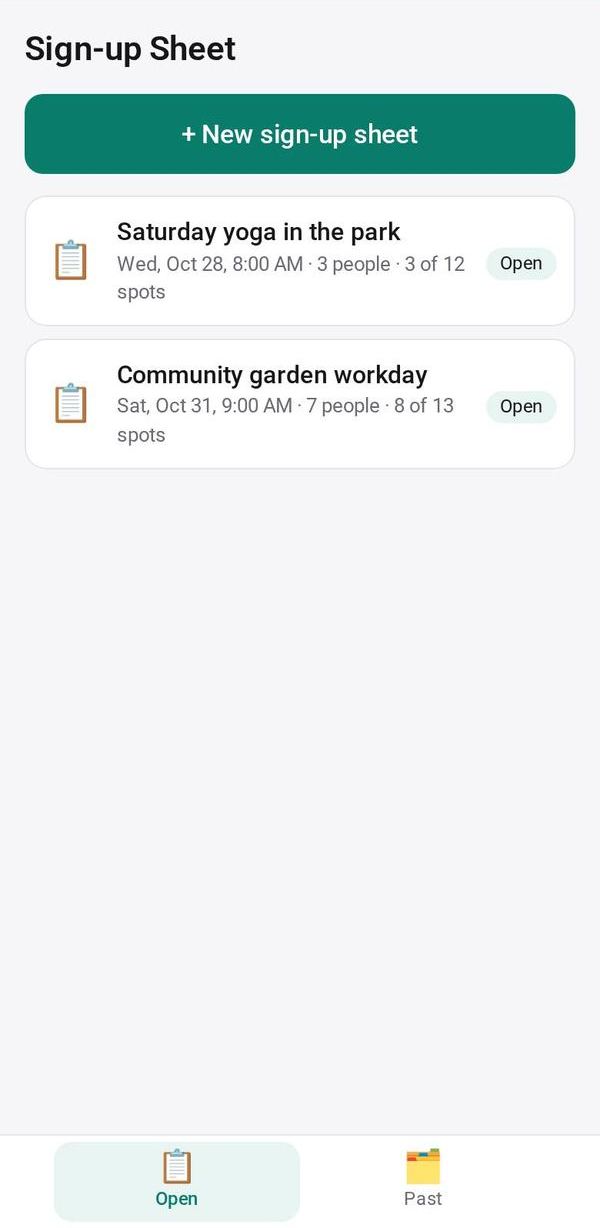
One link, slots people sign up for: dishes, shifts, seats. Watch each slot fill up, with an optional fee
- 👥 Groups & events
- Send it to people
- Version 11
- Free · no account
What it does
- Slots people put their name against: potluck dishes, shifts, rides
- A QR code and a sign to print, and a waitlist when a slot is full
- Names come back to you as people sign up
The people you send its link to open it in any browser, with nothing to install and no account. What they send comes back sealed, so only you can read it.
How to start
- Open Studio on your phone, on the web or on your computer, and tap Gallery (or the Find an App tile).
- Find Sign-up Sheet under Groups & events, and tap Add.
Try it with example data (in your browser, nothing is kept) · Open it in Studio on the web
Using it needs no AI. New to Studio? Get started.
Main tasks
Make a sheet
Enter a title, an optional date and note, and the slots one per line, adding "× N" when a slot takes several people. Add a fee per person if there is one.
Share it
Tap Send or Copy, or show the QR code and "🖨 Print a sign". People pick slots in their browser and can change or withdraw later.
Watch slots fill
Each slot shows who signed up and how many spots are left. When a full slot frees up, tap "Offer the spot to" the first person on the waitlist.
Collect fees
Toggle Paid beside each person, or tap "💳 Collect fees" to request payments.
Export or reuse
Download a CSV of the sign-ups, close the sheet, or tap Next time for a new sheet with the same slots.
Make it yours
Ask Studio: “Two people per slot at most”
Hold the app and tap Edit with AI, then say what to change in plain words. Every version is kept in History. How to ask well.
In these ready-made spaces
- 📚 Tutor (Your business)
- 🏫 School office (Your business)
- 🎒 Parents & school (You and your family)
- 🤝 Clubs & groups (Groups and work)
- 💼 At work (Groups and work)