
Market Watch
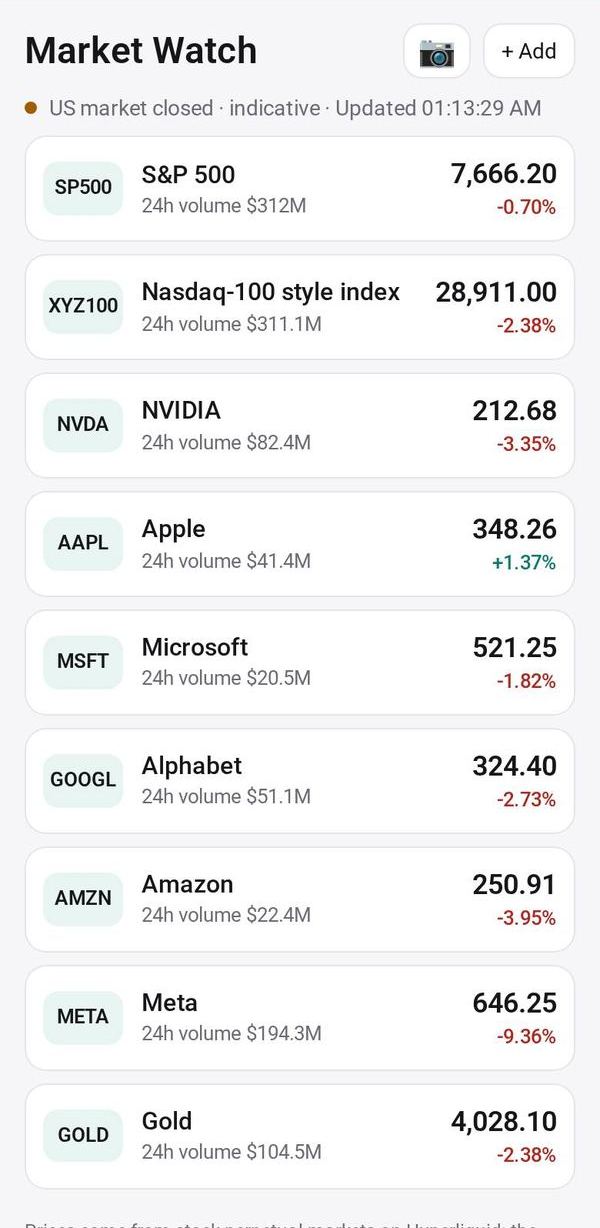
Live prices for the stocks you follow, even after the market closes
- 💰 Money
- Just for you
- Version 5
- Free · no account
What it does
- Stocks, indices and gold with live prices
- Prices keep moving outside US market hours
- Add them by search or from a photo of any watchlist
How to start
- Open Studio on your phone, on the web or on your computer, and tap Gallery (or the Find an App tile).
- Find Market Watch under Money, and tap Add.
Try it with example data (in your browser, nothing is kept) · Open it in Studio on the web
Using it needs no AI. New to Studio? Get started.
Main tasks
Add to your watchlist
Tap "+ Add" and search by ticker or name. To copy a watchlist from another app, tap 📷 and take a picture or choose a screenshot, tick the ones you want and tap Add.
Look at one market
Tap a row to see its price, a 24-hour chart, its range and its volume.
Remove a market
Tap a row and choose Remove. Undo brings it back if you tapped by mistake.
Read the status line
The line at the top says whether the US market is open and when prices were last updated. Outside market hours prices are indicative.
Make it yours
Ask Studio: “Add a note on why I follow each stock”
Hold the app and tap Edit with AI, then say what to change in plain words. Every version is kept in History. How to ask well.
In these ready-made spaces
- 📊 Investing (You and your family)
More
Market Watch on the apps page · Market Watch: the full page · All apps