
Allowance
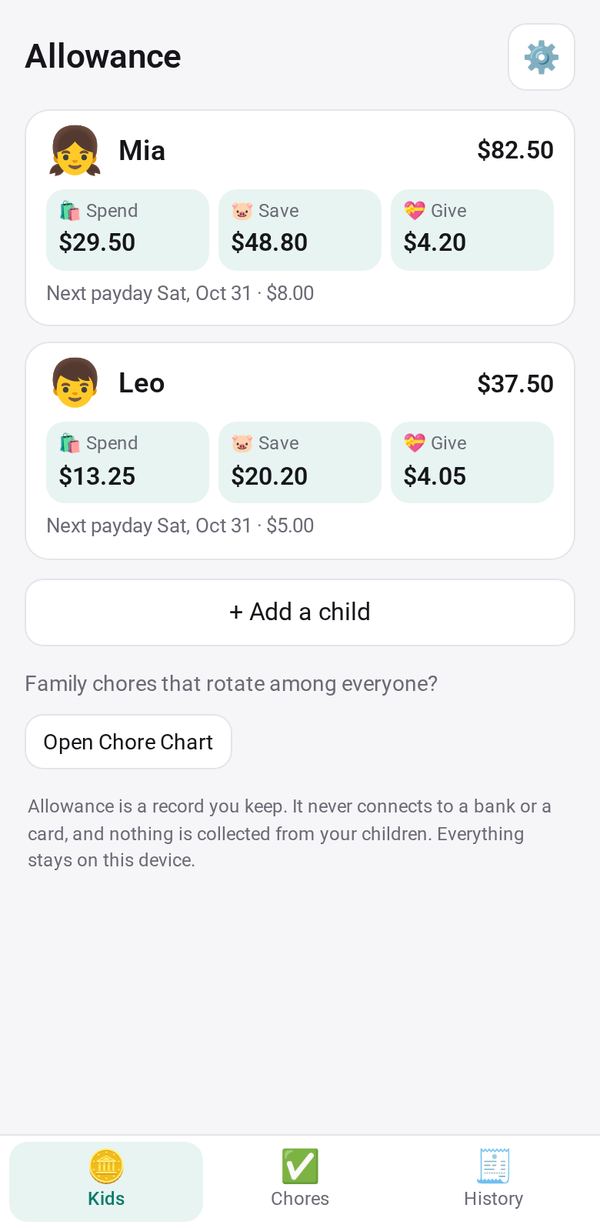
Each child's allowance, paid chores and Spend, Save and Give jars, kept by you: no card, no bank
- 🏠 Home & family
- Just for you
- Version 1
- Free · no account
What it does
Each child's allowance on payday, the chores you pay for, and their Spend, Save and Give jars with goals: a family ledger you keep, with no card and no bank
How to start
- Open Studio on your phone, on the web or on your computer, and tap Gallery (or the Find an App tile).
- Find Allowance under Home & family, and tap Add.
Try it with example data (in your browser, nothing is kept) · Open it in Studio on the web
Using it needs no AI. New to Studio? Get started.
Make it yours
Hold the app and tap Edit with AI, then say what to change in plain words. Every version is kept in History. How to ask well.
In these ready-made spaces
- 🏡 Home & family (You and your family)
- 🎒 Parents & school (You and your family)