
Timesheet
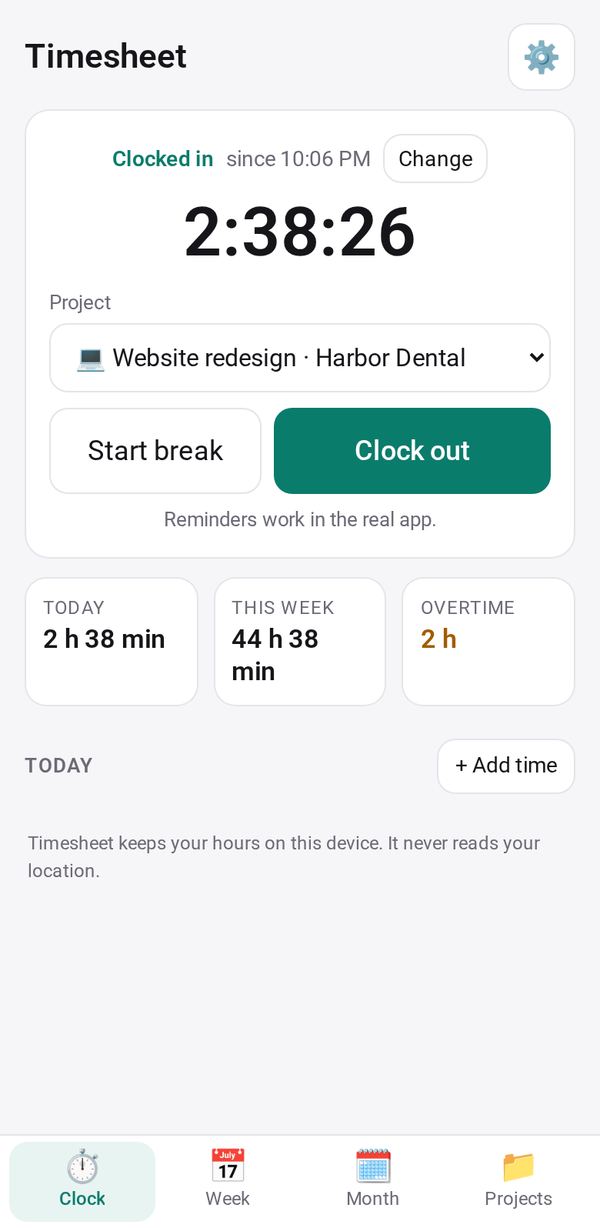
Clock in and out in one tap, see your week and month with overtime, and print a timesheet or bill the hours
- 🛠️ Work
- Just for you
- Version 1
- Free · no account
What it does
Clock in and out with one tap, add breaks and hours you forgot, and see your week and month by project with overtime and rounding. Print or export a timesheet and turn billable hours into an invoice. Never reads your location
How to start
- Open Studio on your phone, on the web or on your computer, and tap Gallery (or the Find an App tile).
- Find Timesheet under Work, and tap Add.
Try it with example data (in your browser, nothing is kept) · Open it in Studio on the web
Using it needs no AI. New to Studio? Get started.
Make it yours
Hold the app and tap Edit with AI, then say what to change in plain words. Every version is kept in History. How to ask well.
In these ready-made spaces
- 🧰 Side hustle (You and your family)
- 💼 At work (Groups and work)